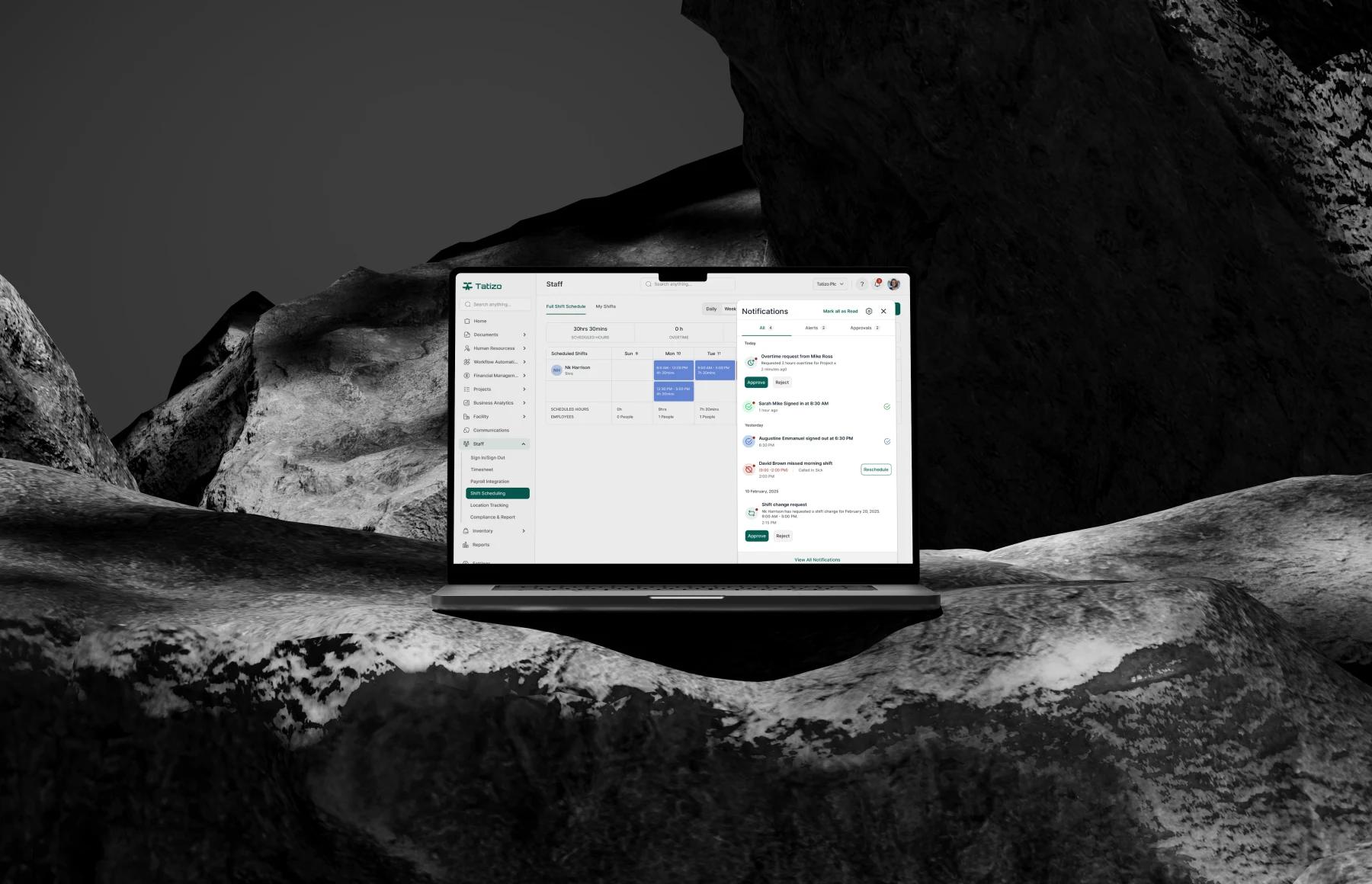
AI Outreach Across Every Client, in One Workspace
One workspace for finding, researching and contacting leads across every client
About Project
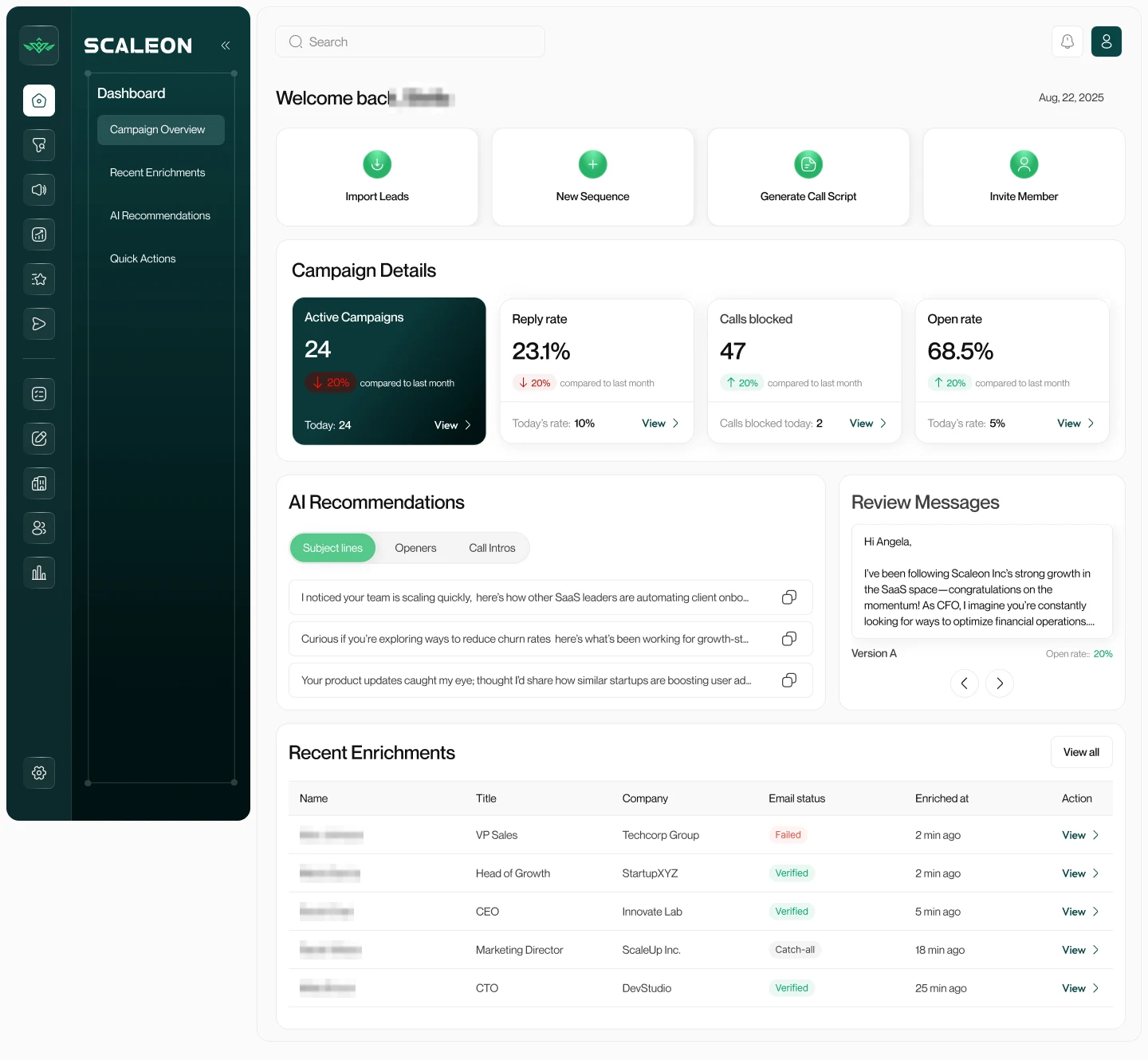
Scaleon is a desktop and mobile product for teams running AI-assisted outreach, including agencies working across several client accounts. It brings lead data, enrichment, personalization, multichannel sequences, call scripts and reporting into one workspace.
- 10
- Product modules
- 4
- Sequence channels
- 150+
- Desktop frames
- 120+
- Mobile frames
/ 01 / Modules
The whole outreach job, in the order it happens
The navigation follows the work itself: build the list, understand each lead, write the message, launch the sequence, then review what happened for each client.
Leads
Filter, import, segment and export contact lists.
Campaigns
Track active and draft campaigns by timeline, leads and performance.
Enrichment
Queue, verify and append lead data with visible progress.
AI Personalization
Generate talking points, openers and copy variations by tone.
Sequences
Build multichannel steps with delays, send windows and branches.
Templates
Reuse, lock and restore approved messages through version history.
Clients
Switch workspaces and review each client’s activity.
Team
Manage members, roles, invites and bulk actions.
Reports
Compare engagement across outreach steps and campaigns.
Settings
Control profile, integrations, notifications, branding and billing.
/ 02 / Process
How a senior team would shape it
Each stage reduces one risk in a product that writes and sends messages on a team’s behalf.
- 1
Discovery
- Agency workflow map
- Roles and permissions
- Data trust risks
- 2
Structure
- Module architecture
- Client switching
- Task-based navigation
- 3
Product Design
- Core flows
- AI review patterns
- Sequence builder
- 4
Hardening
- Empty and error states
- Mobile layouts
- Design system
/ 03 / Lead Intelligence
Make every data point checkable
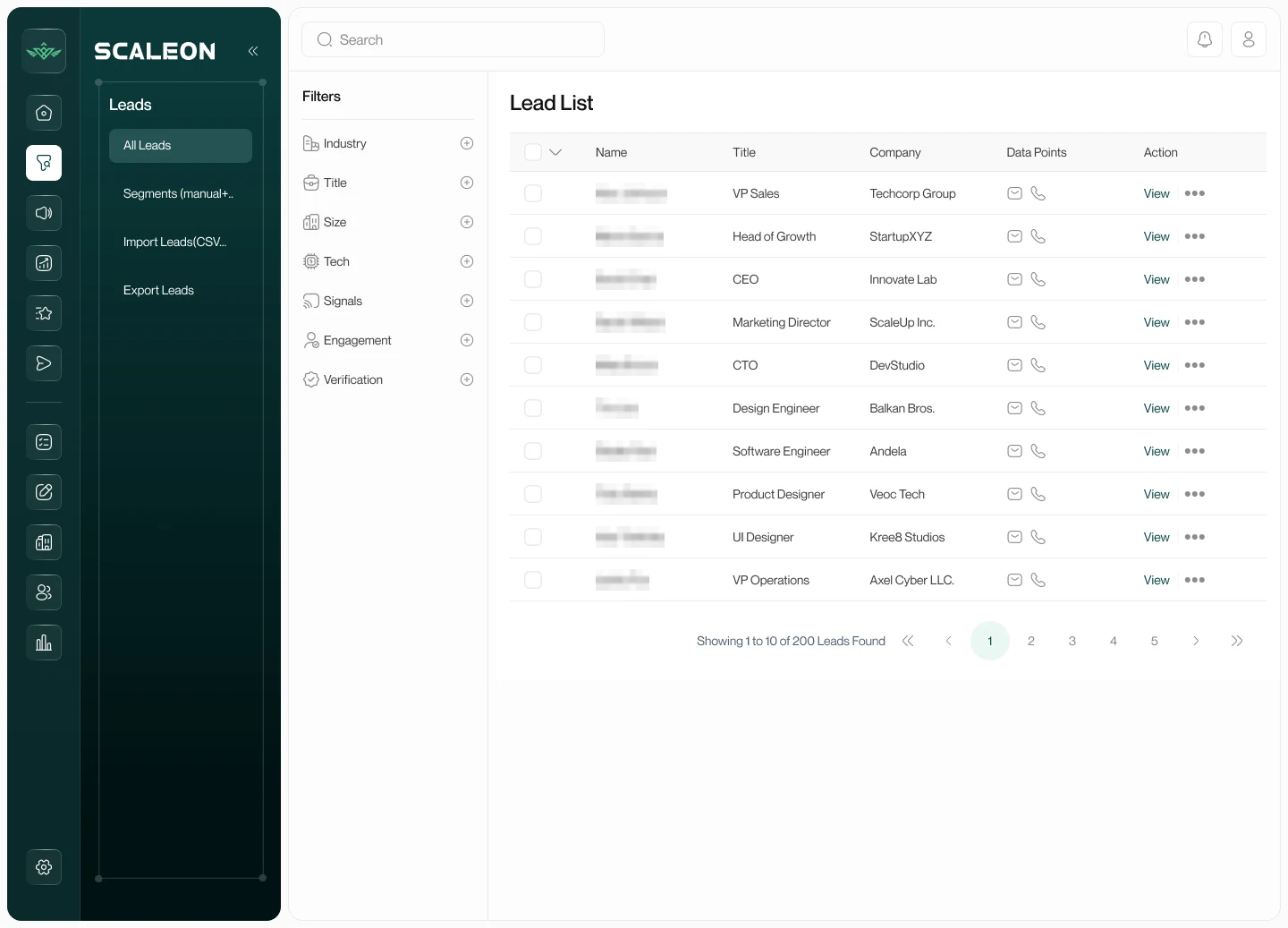
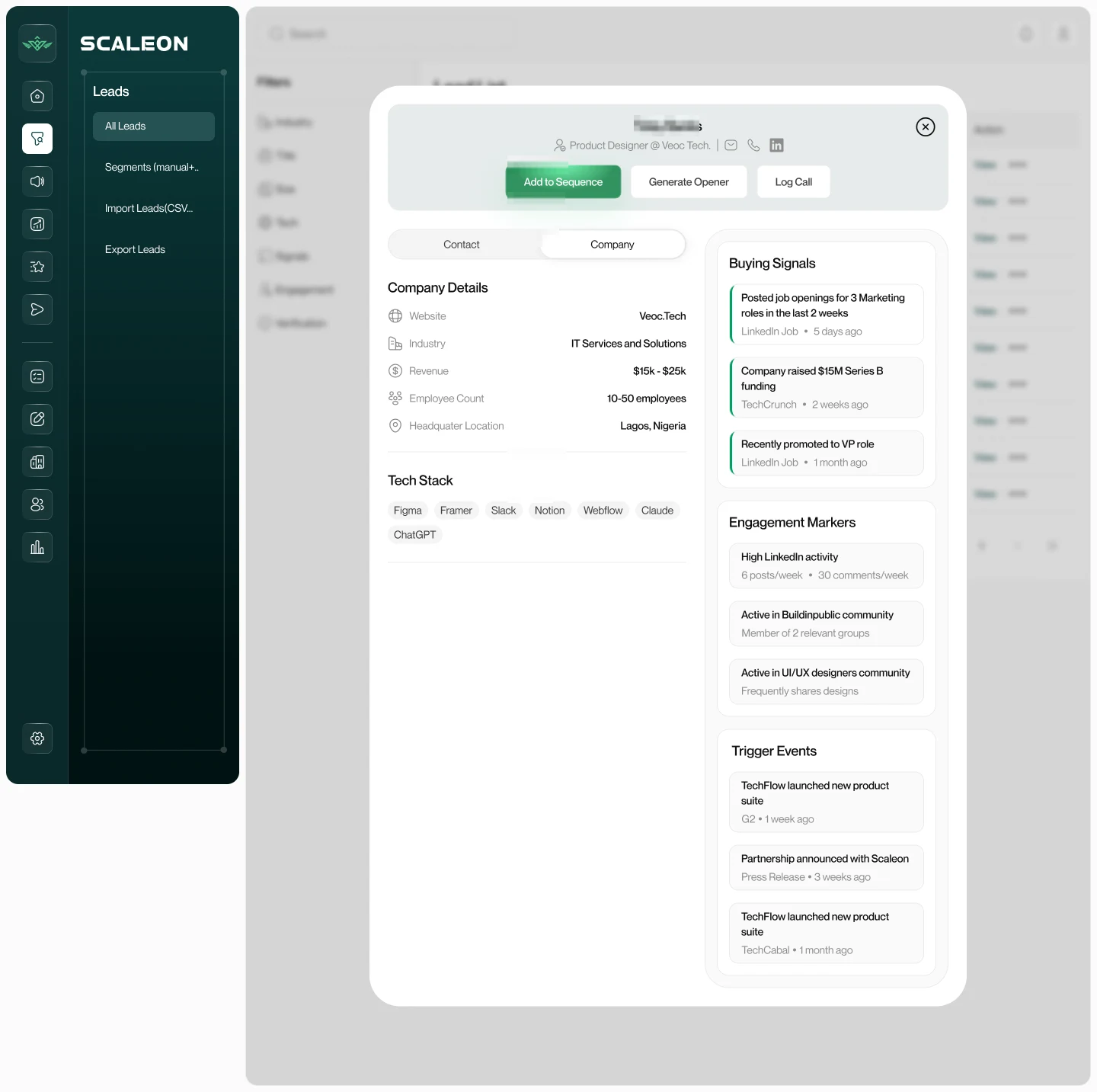
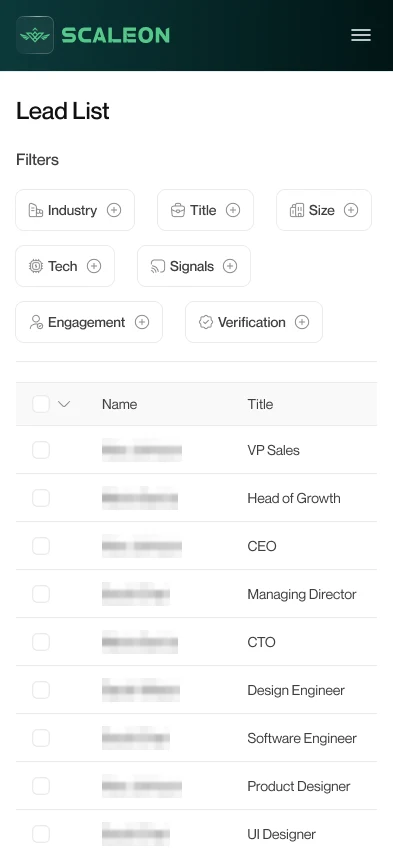
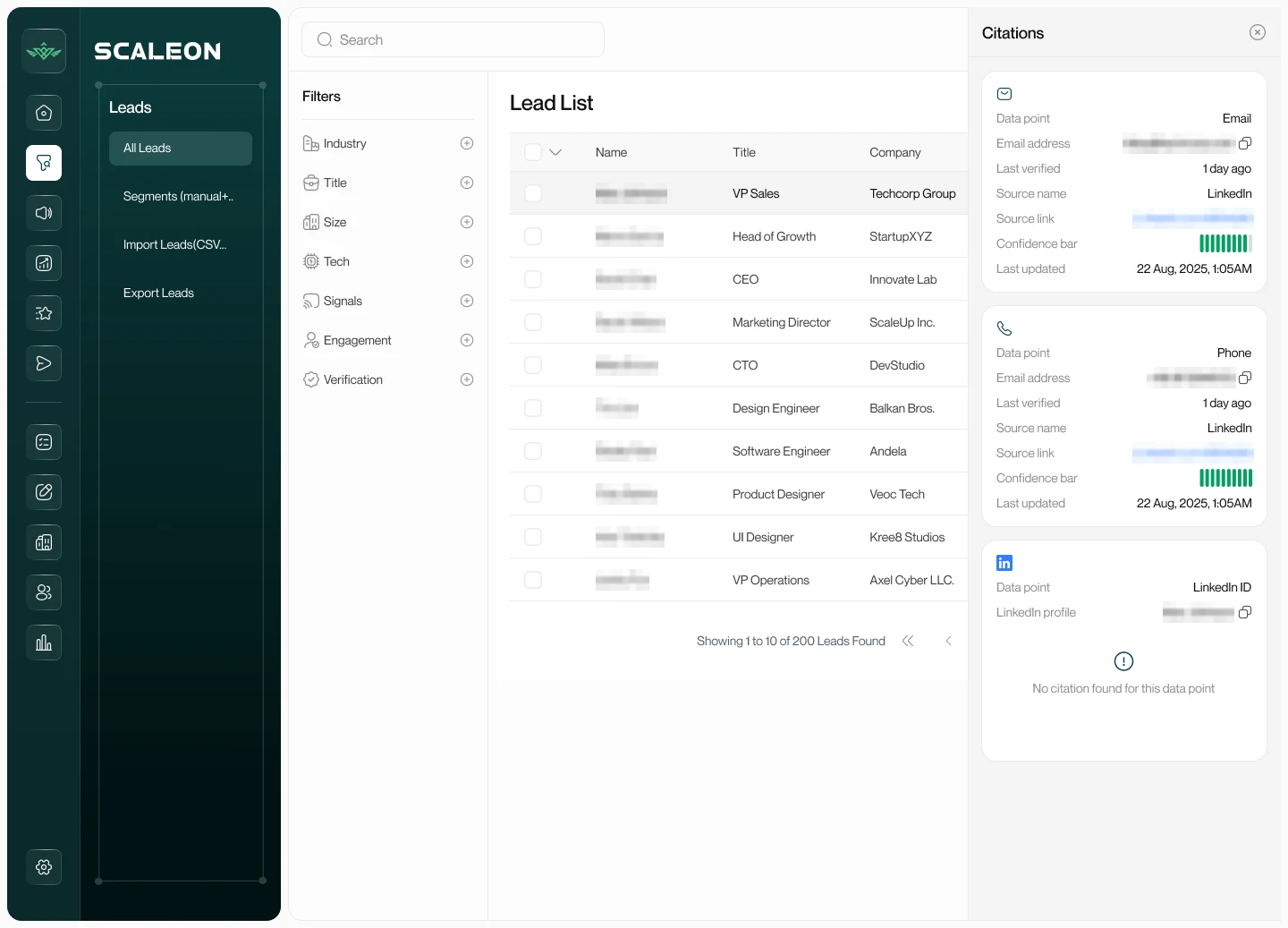
AI outreach is only as good as the data behind it. Filters narrow the list, the profile gathers signals in one place, and citations show where each detail came from, when it was verified and how confident the system is.
- 1Filter the list
- 2Open the profile
- 3Check the source
- 4Save a segment
/ 04 / AI Personalization
Keep a person in the editing seat
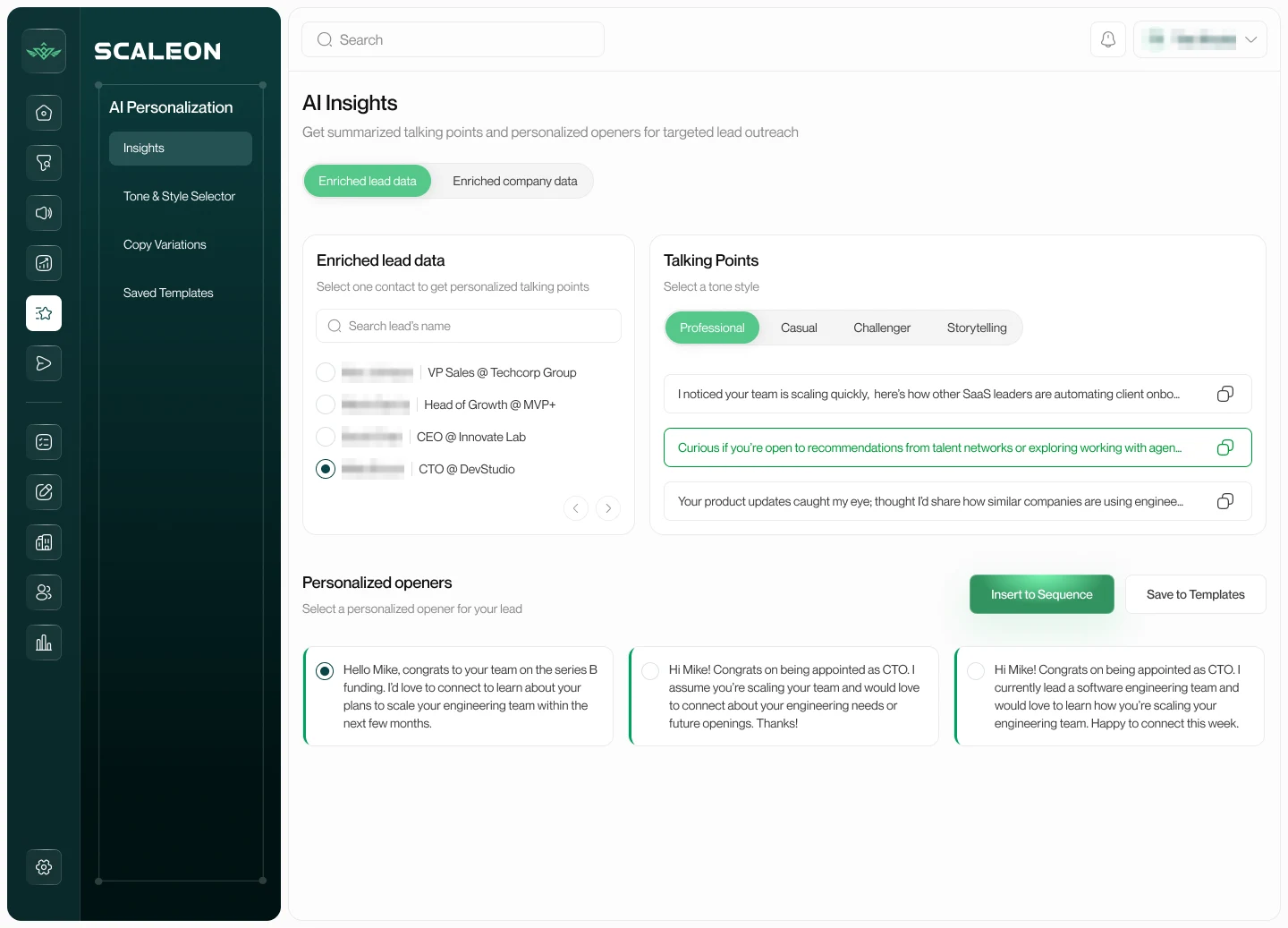
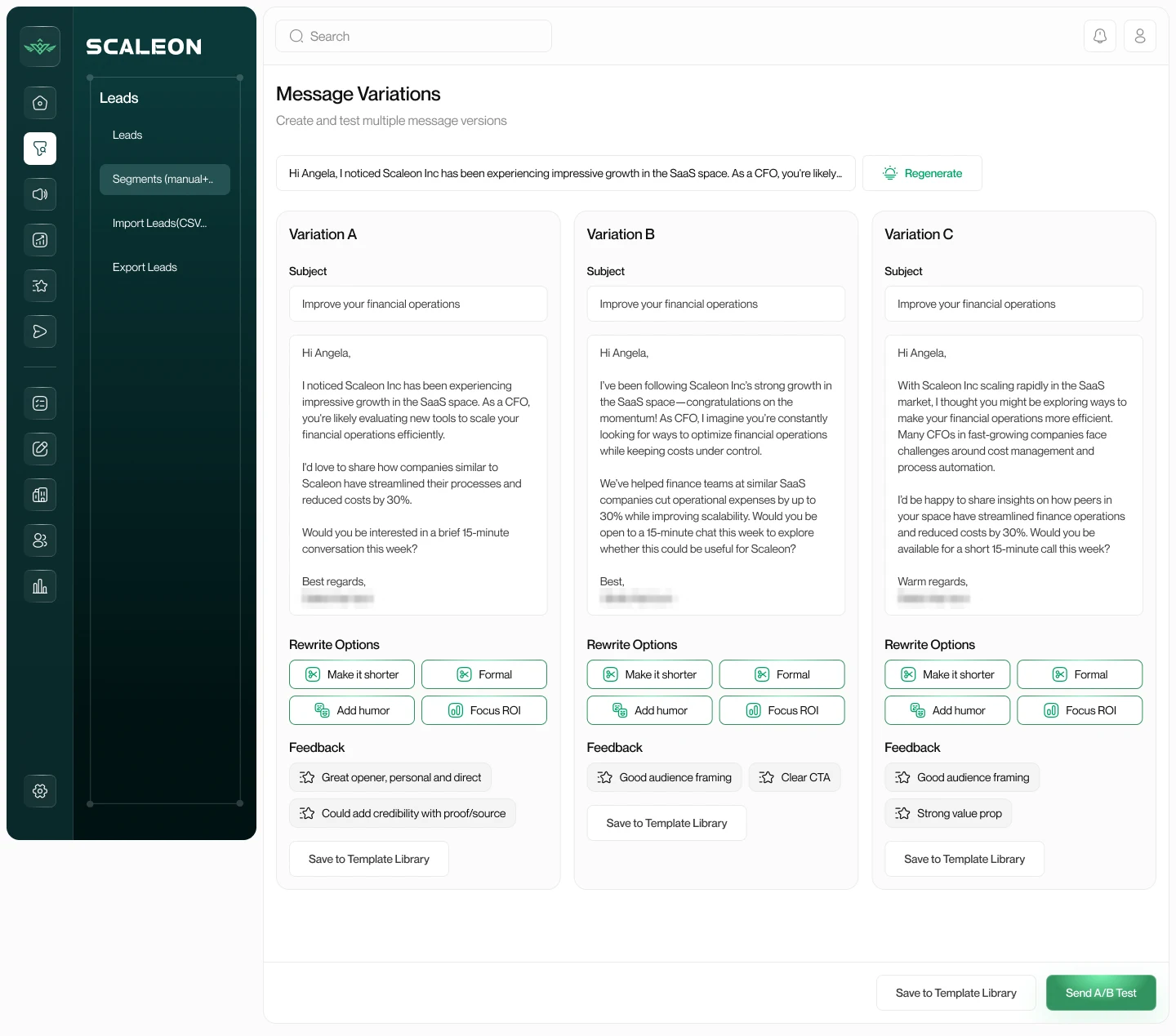
Scaleon presents AI output as options to compare. Tone controls, side-by-side variations and quick rewrites let a user steer the message, and the first version appears during onboarding so the product proves its value early.
- 1Pick a lead
- 2Set the tone
- 3Compare variations
- 4Approve or rewrite
/ 05 / Sequences
Turn a message into a controlled system
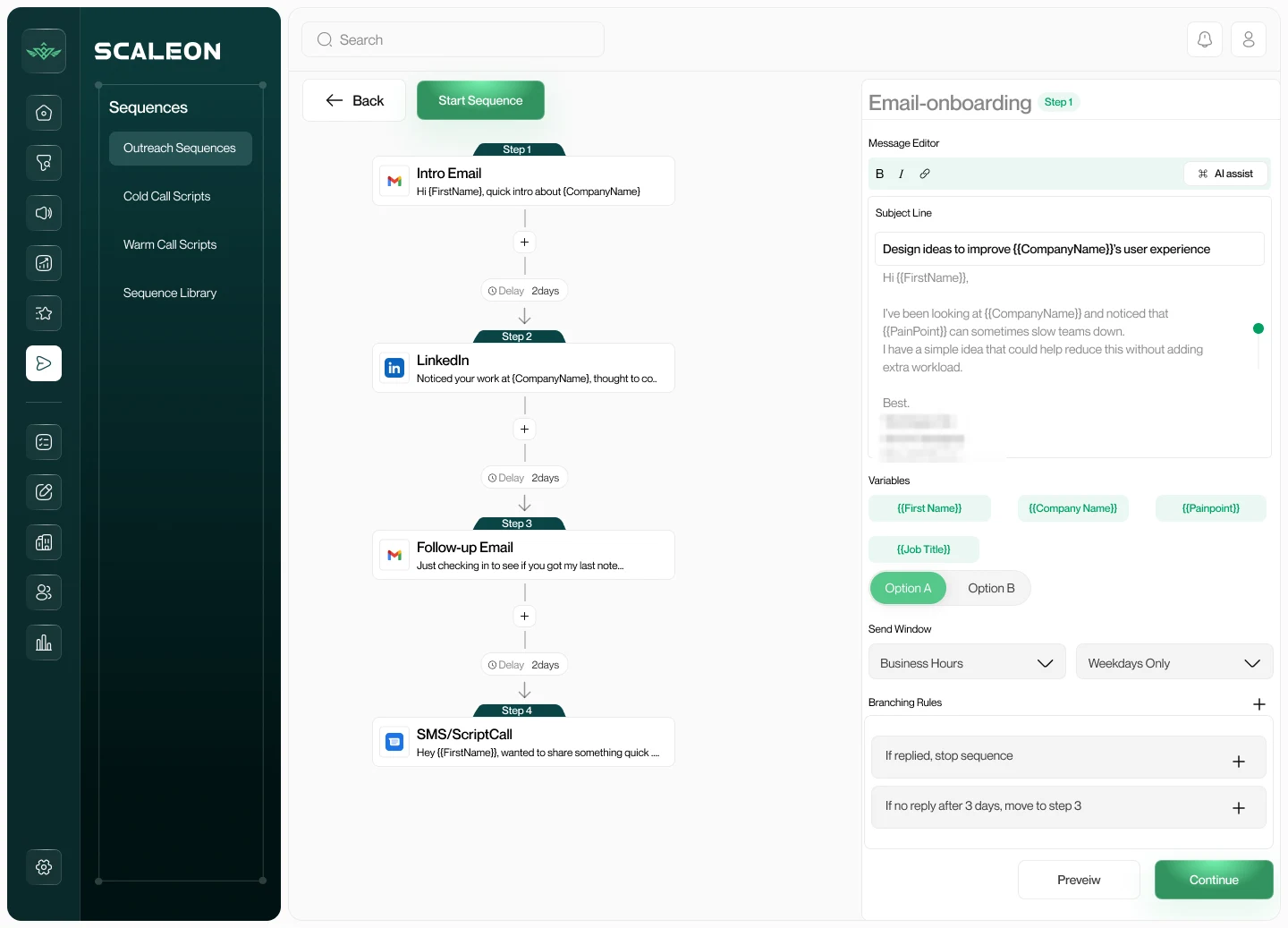
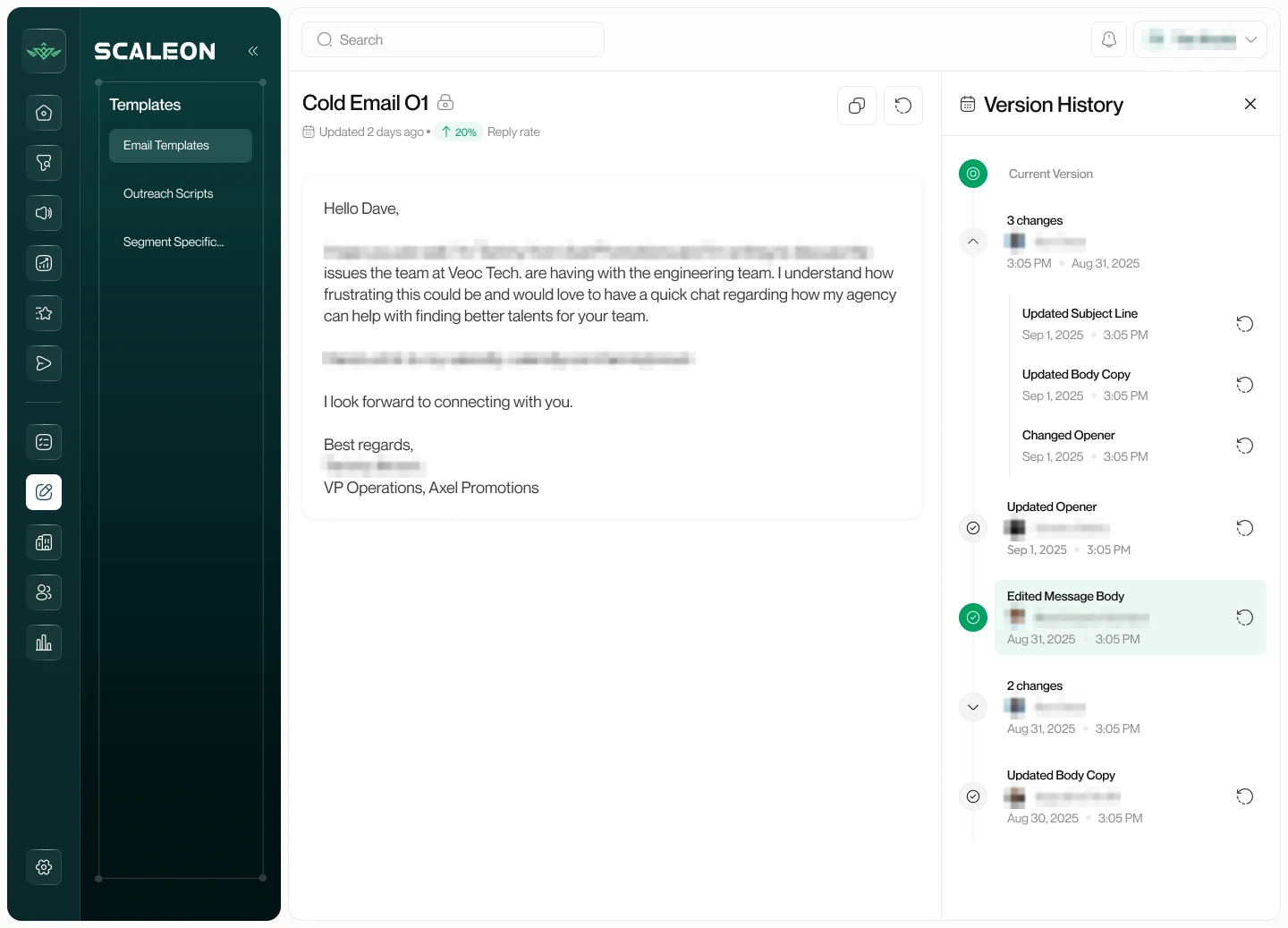
A vertical builder shows channels, delays and branching rules at a glance. Version history keeps shared templates recoverable when several people edit them.
- 1Add channel steps
- 2Set send windows
- 3Define branches
- 4Launch the sequence
/ 06 / Client Operations
One view for each account
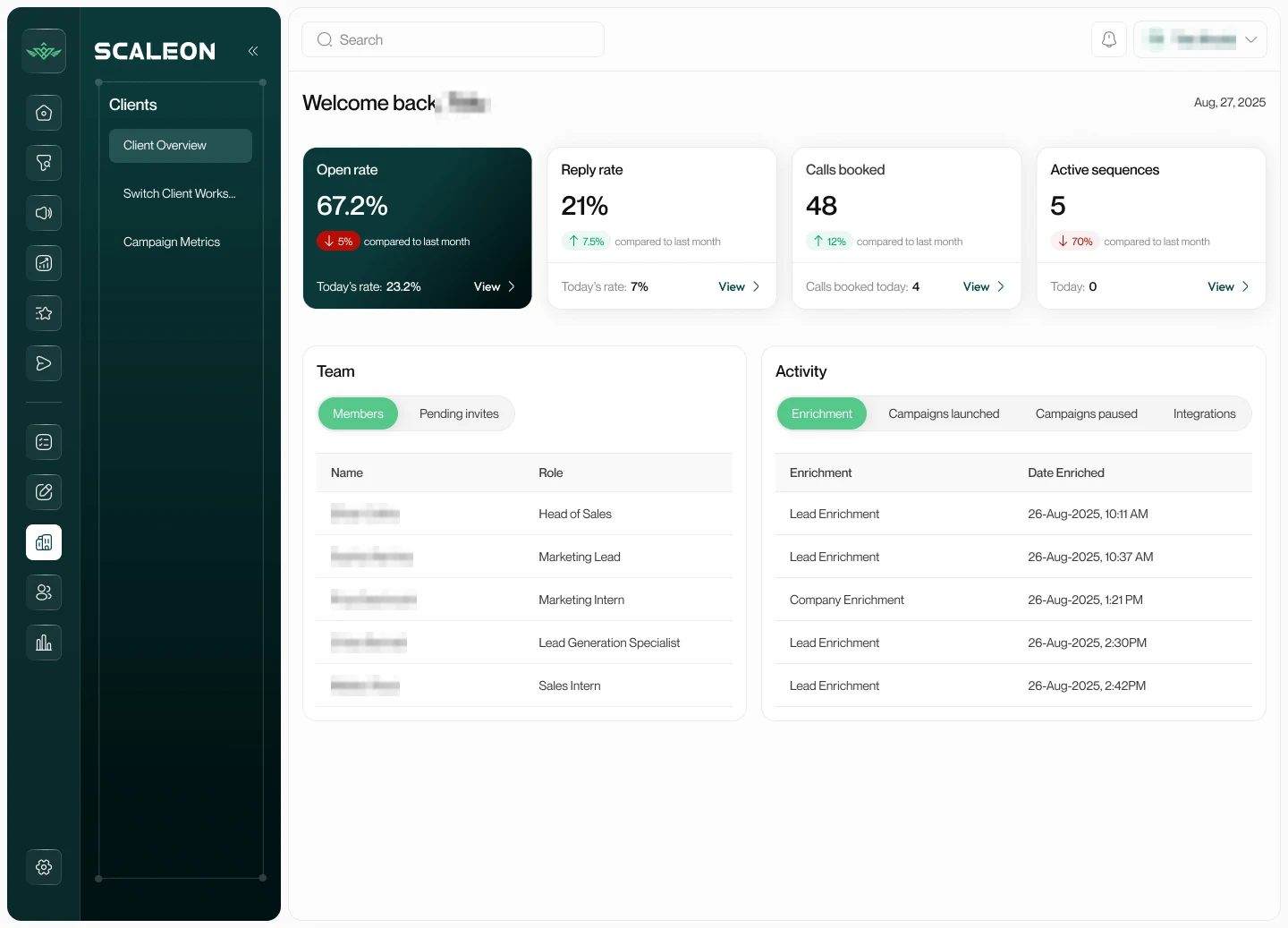
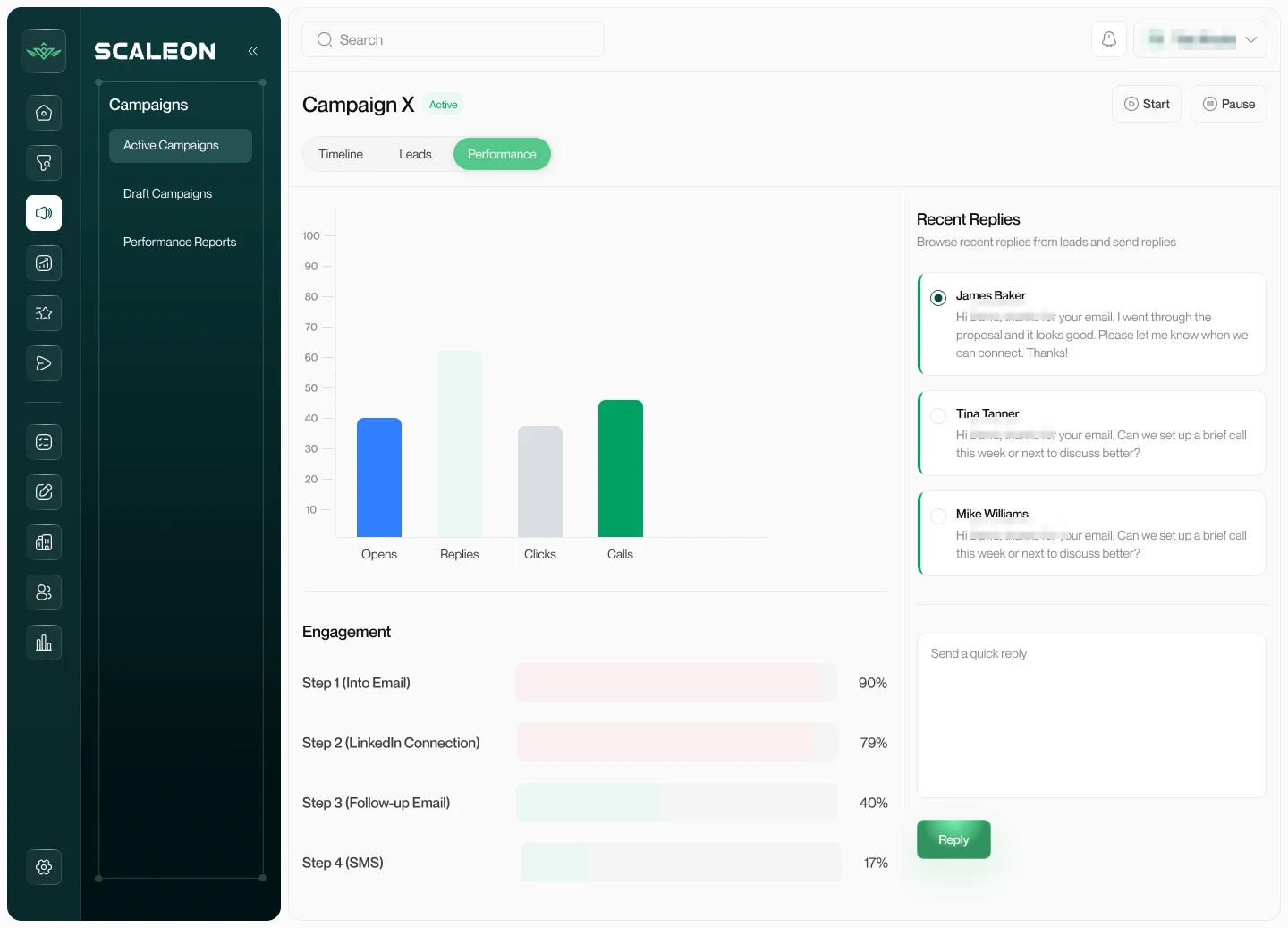
Agencies need to move between clients without losing context. Client overviews combine metrics, people and activity, while campaign views connect step-level engagement to the replies that need attention.
- 1Switch client
- 2Review activity
- 3Open a campaign
- 4Answer replies
/ 07 / System States
Designed for when things go wrong
Enrichment and sending depend on outside data and services. The file plans for waiting, missing data and failure, so users always know what happened and what to do next.
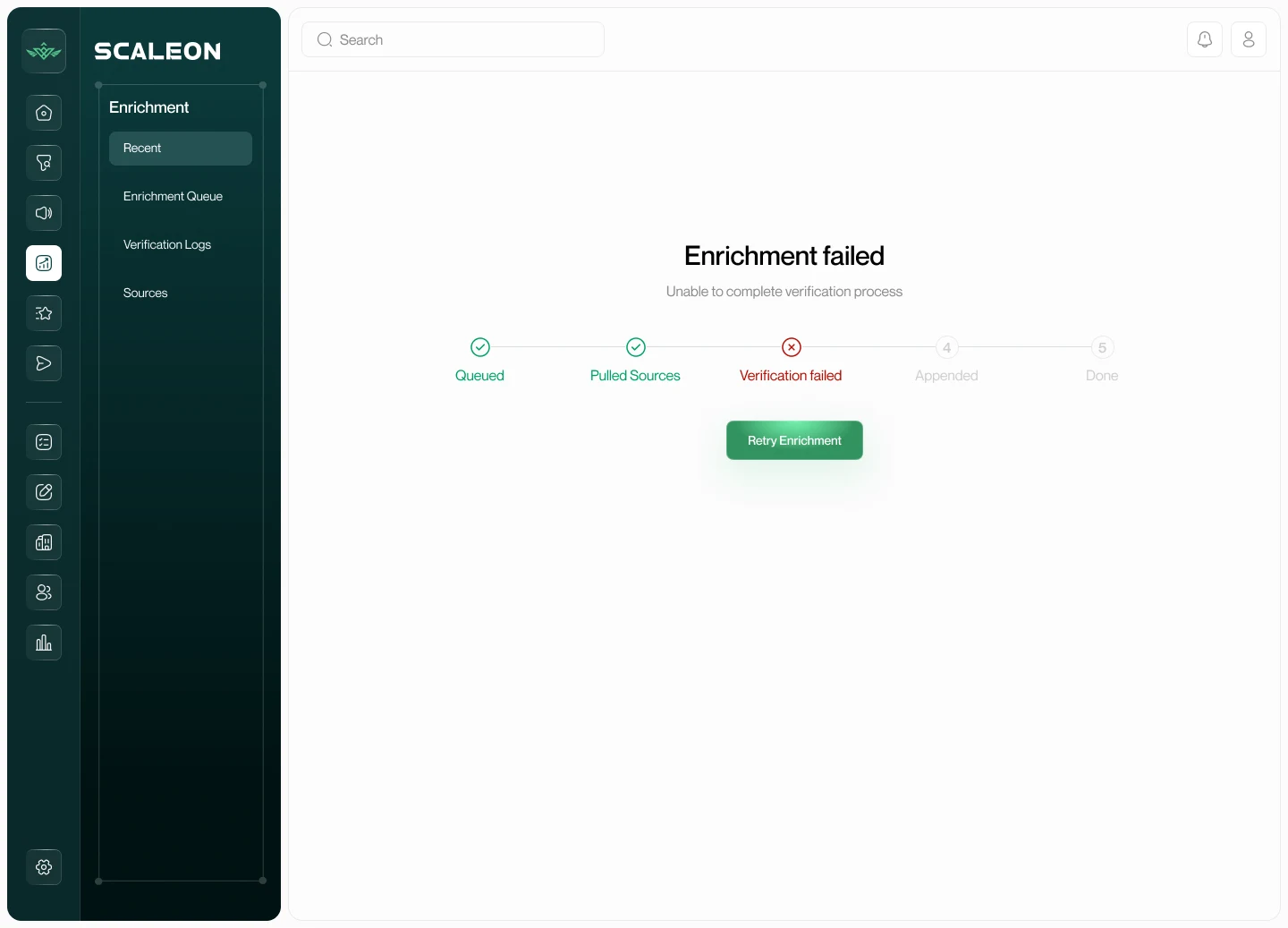
Enrichment failed
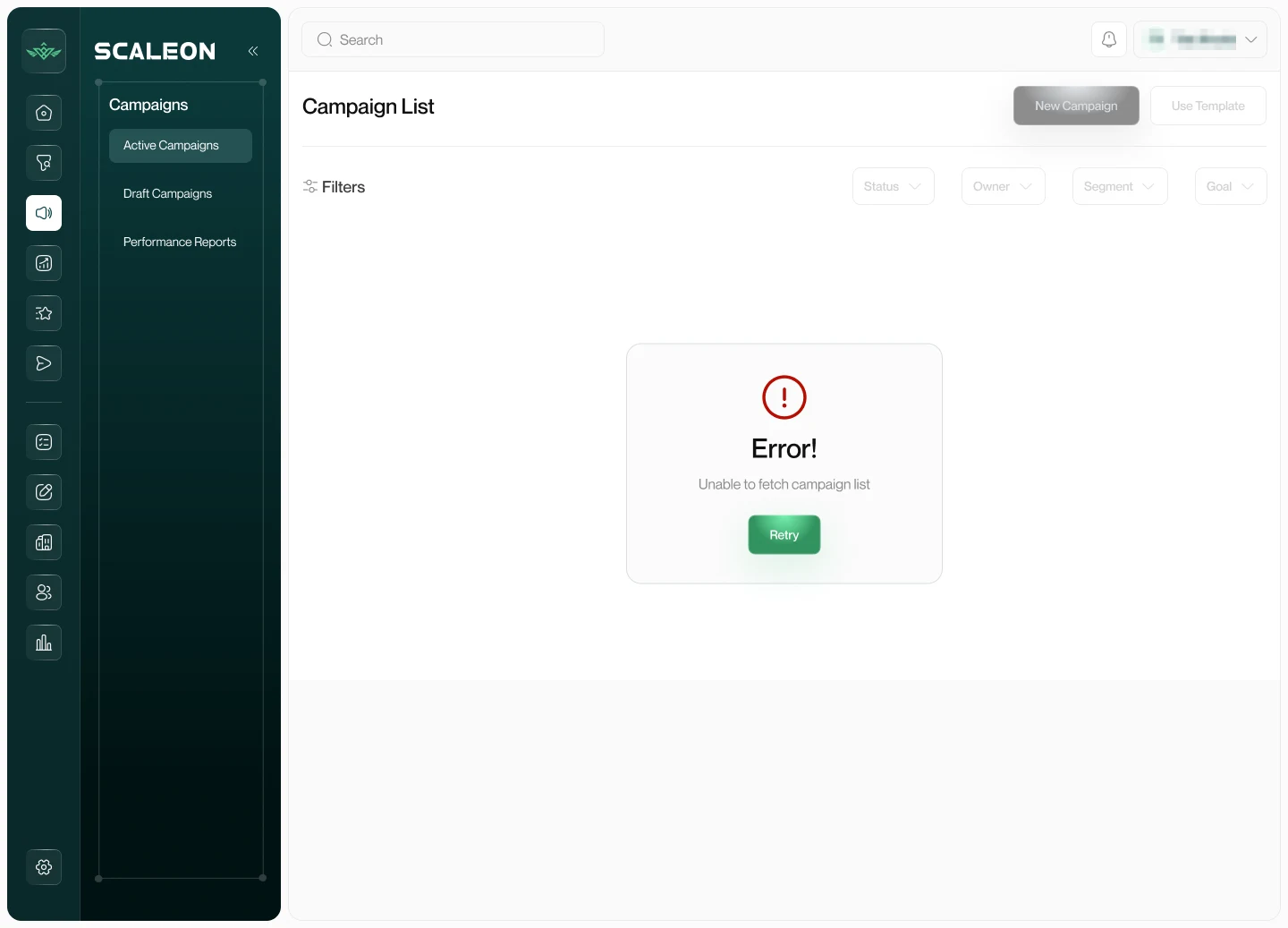
Campaign error
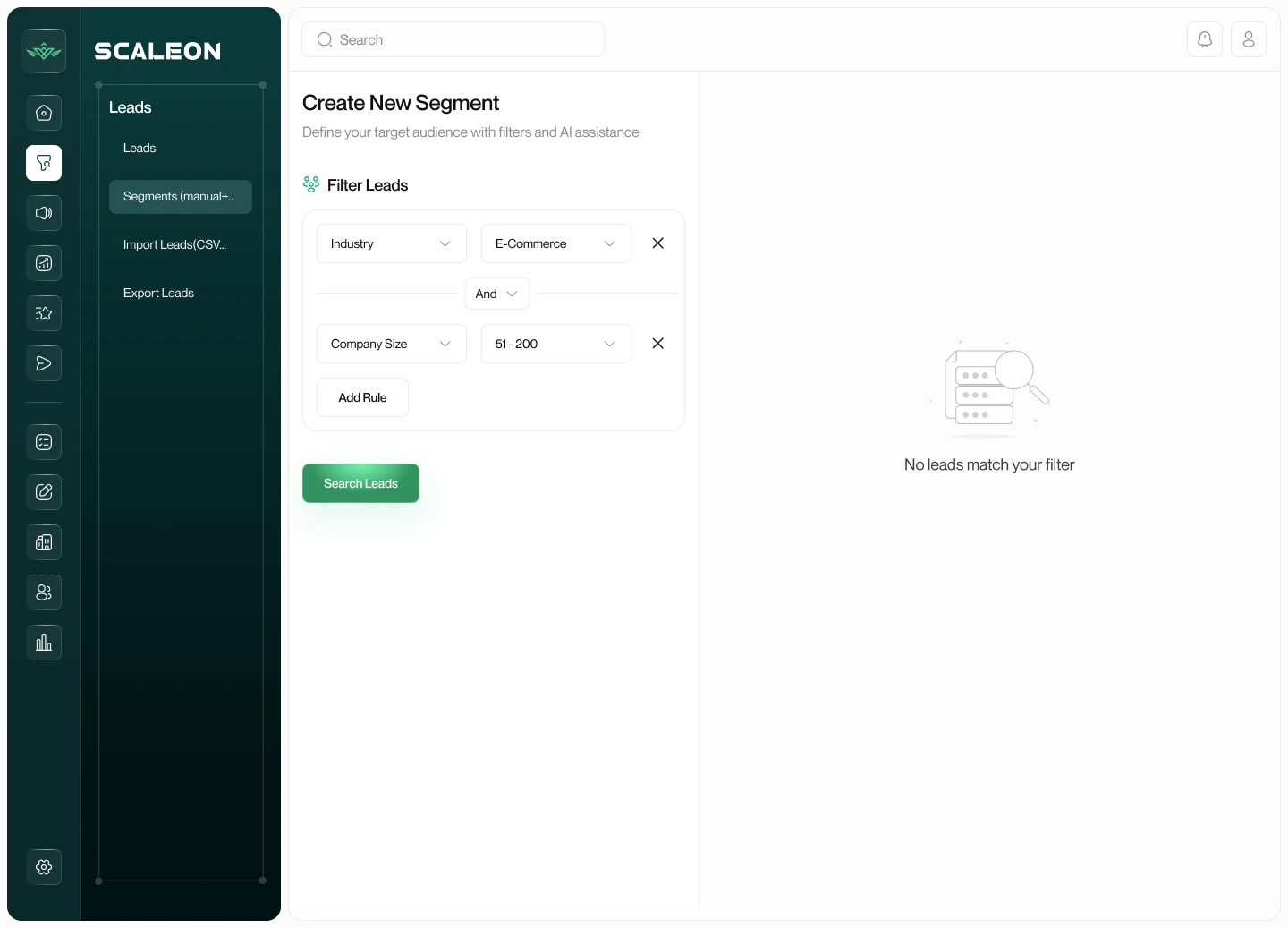
No segment match
/ 08 / Design System
Calm surfaces for dense work
Neue Montreal
One neutral grotesk, in regular and medium weights with tight tracking, keeps tables, forms and generated copy readable across a data-heavy interface.
- Primary#094546Brand and navigation
- Nav Deep#0E3031Collapsed navigation
- Success 50#EBF8F3Positive status
- Text Secondary#404040Supporting copy
/ 09 / Responsive
The same system on a smaller screen
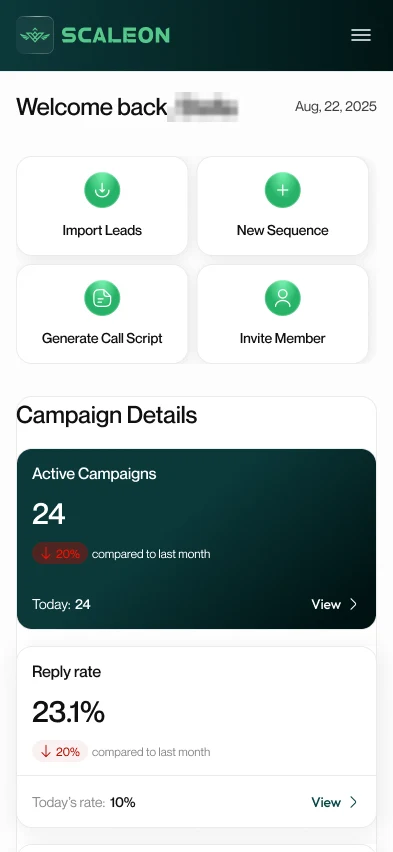
Mobile layouts stack metrics, convert filters into chips and condense tables, so a user can check progress and act on leads away from a desk.
About this section
This is a strategic retrospective. It explains the reasoning a senior product team would apply to this brief, read from the Figma file. It does not report research findings or measured results. Names, messages and metrics in the screens are sample interface data, and personal details have been masked.
Strategic retrospective
How a world-class team would approach this brief
What this reading is based on
- The Scaleon Figma file and its module structure
- Desktop and mobile frames across the core product flows
- The empty, loading, error and permission states in the file
- The file’s color and type variables
01The problem
Making automated outreach accountable
Outreach teams often split their work across list builders, enrichment tools, writing assistants, sequencers, dialers and spreadsheets. For an agency, that fragmentation repeats for every client. AI can compress the work, but it adds a new risk: a confident message built on stale or wrong data can go out at scale under a client’s name. The product had to unify the workflow while keeping data sources, generated copy, sending rules and client boundaries visible enough for a team to trust it.
02Why it mattered
In outreach, mistakes leave the building. A weak interface can damage a sender’s reputation or a client relationship before anyone notices.
What was at stake
- Unverified data can turn personalization into a visible error
- Working in the wrong client workspace carries real commercial risk
- Unclear automation rules can send the wrong message at the wrong time
- Shared templates need a recovery path when several people edit them
03Theoretical approach
Automate the work, expose the decisions
A senior team would let AI do the repetitive work while placing a clear human checkpoint at each moment with external consequences.
Map the job
Organize modules around the real sequence from list to reply.
Prove the data
Attach source, freshness and confidence to enriched fields.
Offer, then approve
Present AI output as editable options before anything enters a sequence.
Make rules visible
Show delays, send windows and branches directly in the builder.
Design for failure
Give waiting, empty and failed states a clear explanation and next step.
04Principles applied
Visibility of system status
Nielsen’s heuristics
Staged enrichment progress shows exactly where a long-running job has reached.
User control and freedom
Nielsen’s heuristics
Rewrite controls and version restore keep AI and team edits reversible.
Recognition over recall
Nielsen’s heuristics
Variables, tones and channel steps are visible choices instead of syntax to remember.
Progressive disclosure
The lead table stays scannable, while signals and citations open only when a user needs them.
05Key decisions
Give enriched data a citation trail
People will only send AI-informed messages when they can check the facts behind them.
Visible in the design: The Citations panel lists source, last verified date, link and a confidence bar per data point.
Show AI copy as parallel variations
Comparison invites judgment and makes it harder to accept a single output by default.
Visible in the design: Message Variations places three drafts side by side with rewrite options and feedback.
Expose sequence logic on the canvas
Automation is safer when its timing and exit conditions can be reviewed at a glance.
Visible in the design: The builder shows channel steps and delays beside send windows and branching rules.
Treat template edits as recoverable history
Shared messaging needs accountability once a whole team depends on it.
Visible in the design: The template view includes a version timeline with restore actions.
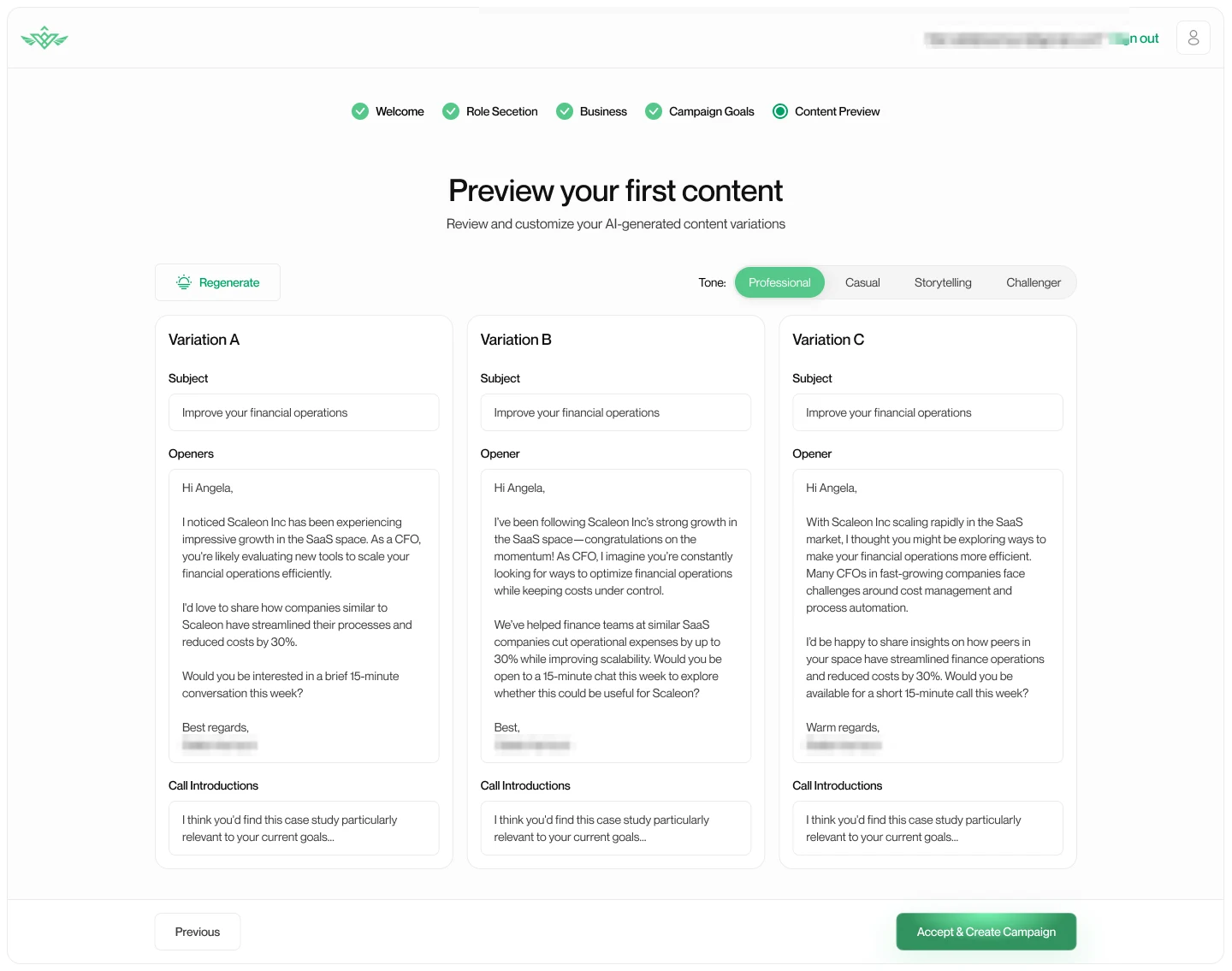
Deliver a first draft during onboarding
Seeing relevant output early shortens the distance between setup and perceived value.
Visible in the design: The final onboarding step previews generated variations before creating a campaign.
06Trade-offs
- We would chooseOne integrated workspaceOverA narrower tool that plugs into an existing stackBecauseIt preserves context across the workflow, at the cost of a broader product surface to learn and maintain.
- We would chooseHuman review before sendingOverFully autonomous outreachBecauseIt adds a step, but protects sender reputation and client trust where errors are public.
- We would chooseA dense, table-led interfaceOverA simplified card layoutBecauseOperators need to compare many records quickly, although new users face a steeper first view.
07What to measure next
These are the signals to instrument next. No values are shown because none have been measured here.
- MetricTime to first approved sequenceWhy it mattersTests whether onboarding reaches real value quickly.How to measure itMeasure from workspace creation to first launched sequence.
- MetricAI edit rateWhy it mattersShows how often generated copy is usable as written.How to measure itCompare generated and sent text by tone and message type.
- MetricCitation opens before sendWhy it mattersIndicates whether users rely on the trust layer.How to measure itLog citation views on leads later added to a sequence.
- MetricEnrichment failure recoveryWhy it mattersReveals whether failure states lead to a useful next action.How to measure itTrack retries and completions after a failed enrichment.
- MetricWrong-workspace correctionsWhy it mattersMeasures the risk in multi-client switching.How to measure itLog immediate client switches followed by undone actions.
Building a product your team has to trust?
We design complex workflows so people can see what the system did, why it did it and how to take back control.