One Operating System for the Whole Business
One workspace for the people, money, projects, buildings and stock behind a business
About Project
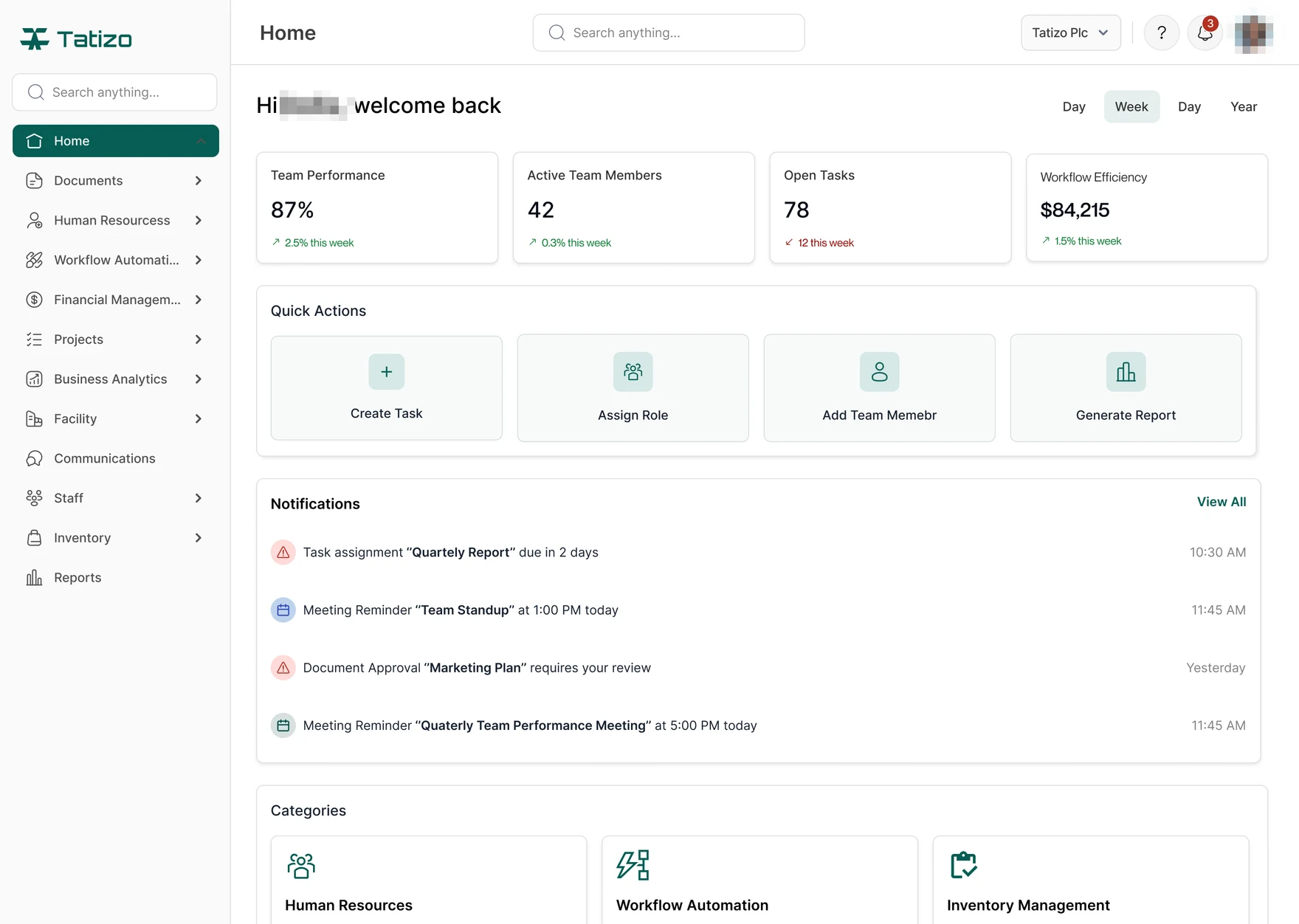
Tatizo is a web and mobile business operations platform that brings ERP, business intelligence, workflow automation and collaboration together. Staff, managers and administrators each get a home suited to their role, and a master admin layer manages sub-accounts, client subscriptions and resellers.
- 12
- Workspace modules
- 6
- Permission actions
- 440+
- Desktop frames
- 470+
- Mobile frames
/ 01 / Modules
Every department, under one navigation
The sidebar mirrors how a company is organized, so each team has a clear home while records, approvals and people stay connected across the business.
Home
Role-based overview of metrics, tasks, alerts and shortcuts.
Documents
Version control, secure sharing and privileged access.
Human Resources
Employees, leave, performance, recruitment and onboarding.
Workflow Automation
Build task automations and route approvals.
Financial Management
Budgets, invoices, bill payments, expenses and reports.
Projects
List, board and Gantt views with resources and milestones.
Business Analytics
KPI dashboards, forecasts and custom reports.
Facility
System health, maintenance, SCADA and asset locations.
Communications
Channels, direct messages, scheduling and broadcasts.
Staff
Shifts, timesheets, overtime, attendance and compliance.
Inventory
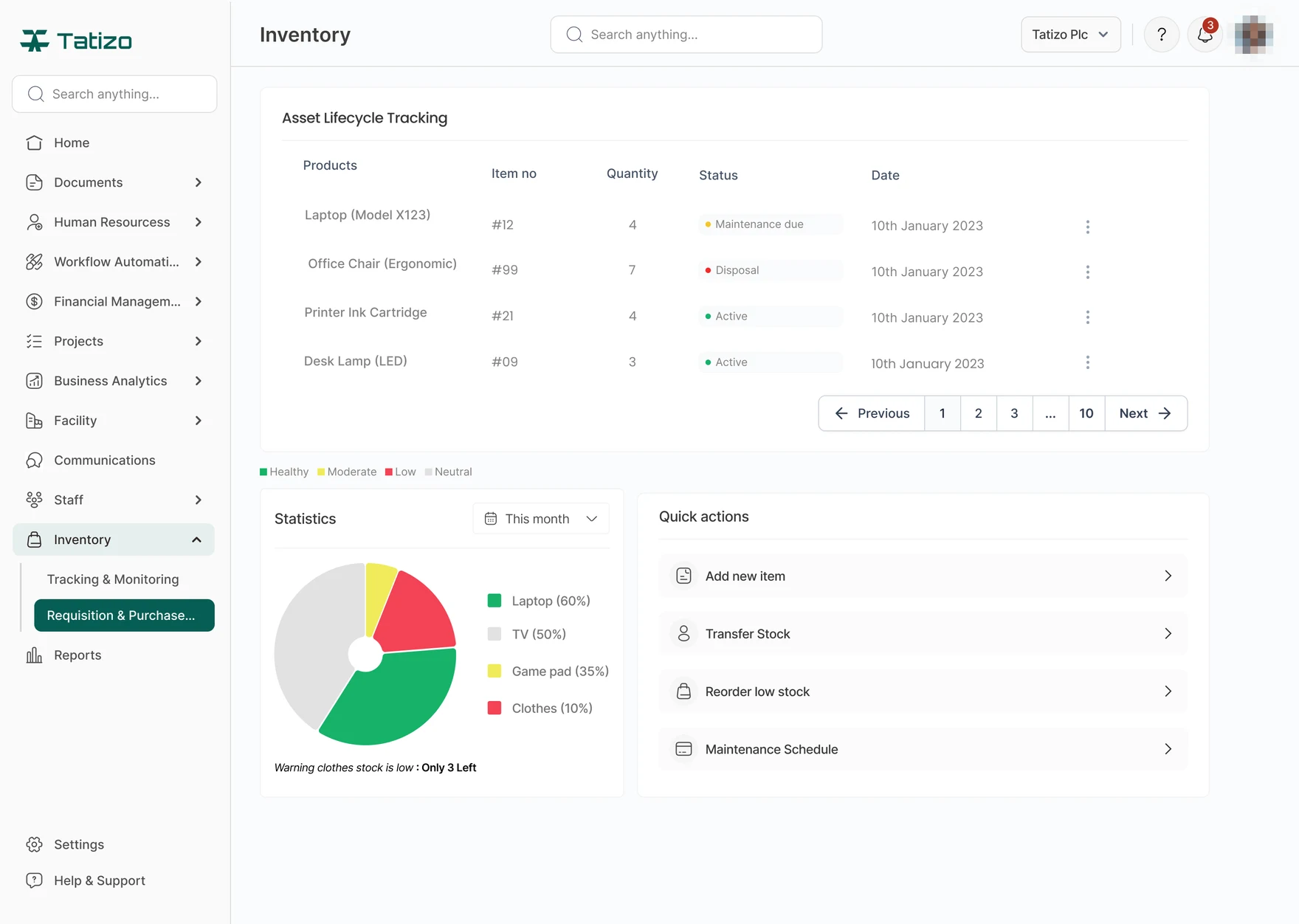
Stock tracking, requisitions, vendors and asset lifecycles.
Reports
Templates, form creation, approvals and exports.
/ 02 / Process
How a senior team would shape it
A platform this broad succeeds or fails on its structure, so each stage settles a shared decision before any department’s screens multiply.
- 1
Discovery
- Department job mapping
- Role and tenant model
- Sensitive data audit
- 2
Structure
- Module architecture
- Permission framework
- Shared record patterns
- 3
Product Design
- Cross-team workflows
- Approval patterns
- Data-dense views
- 4
Hardening
- Empty and alert states
- Mobile layouts
- Design system
/ 03 / Workflow Automation
Turn routine decisions into visible routes
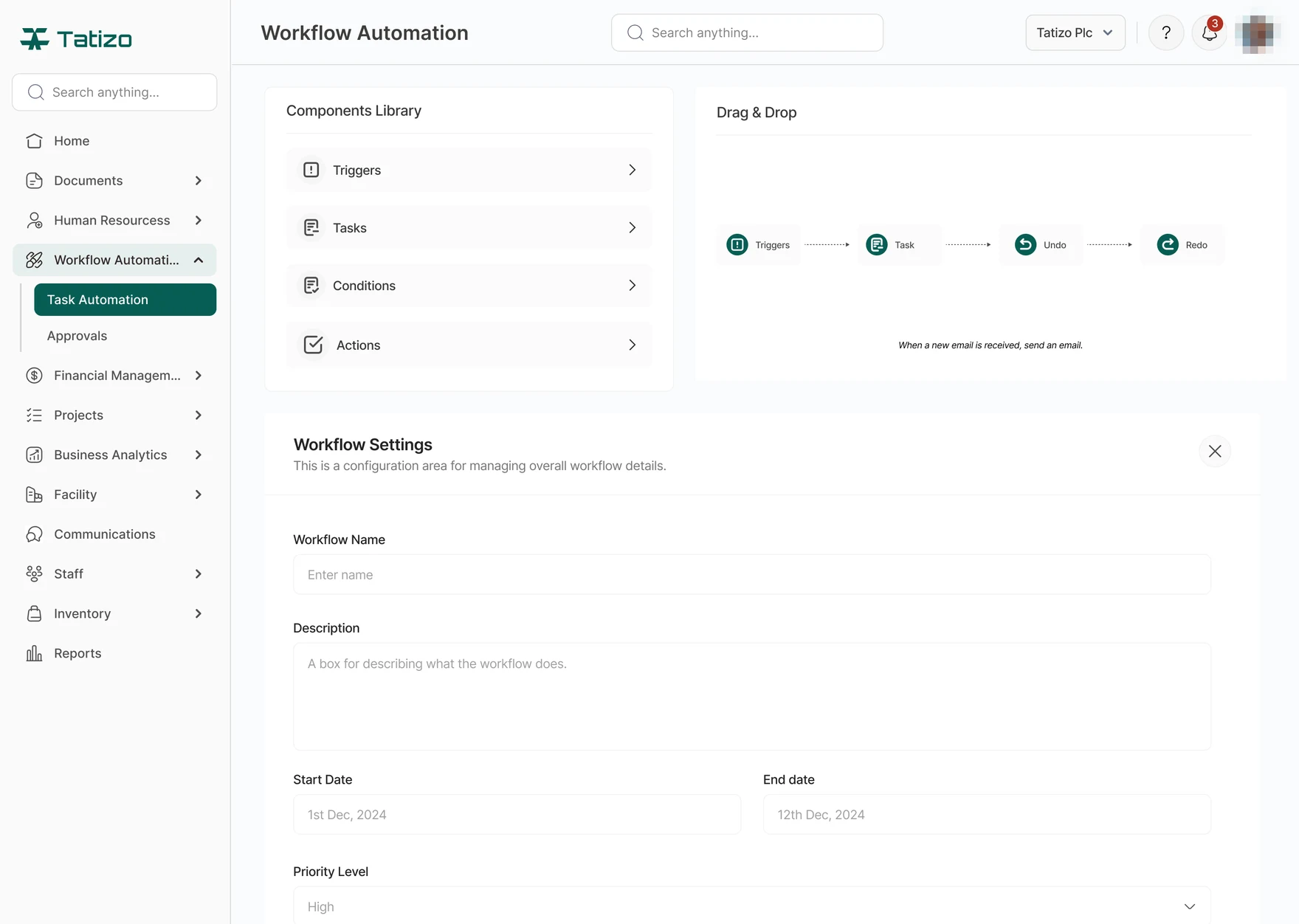
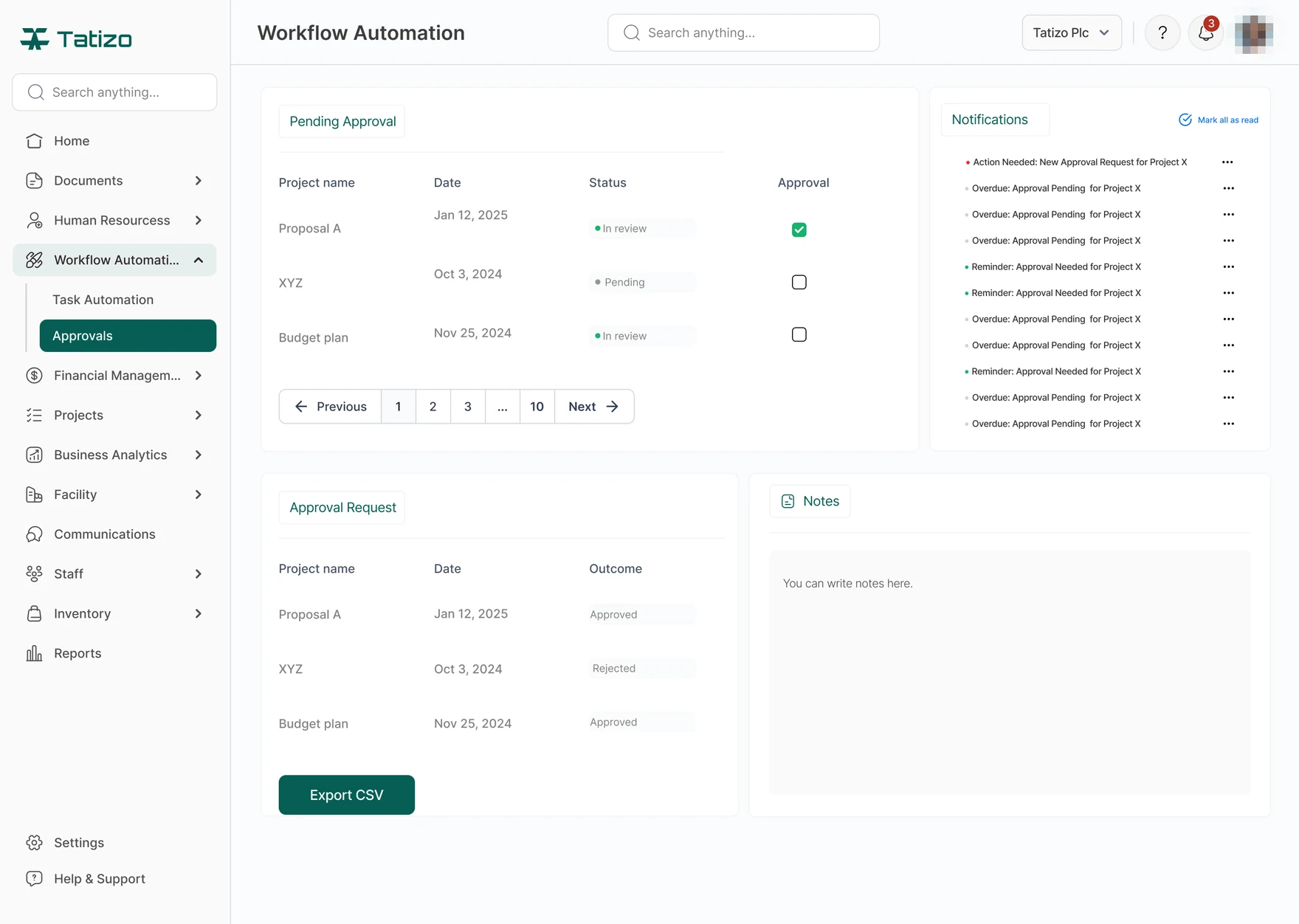
Work that usually moves through chat and memory becomes a defined sequence. The designer assembles triggers, tasks, conditions and actions, while the approvals view keeps pending decisions, past outcomes and overdue reminders together.
- 1Choose a trigger
- 2Add conditions
- 3Route for approval
- 4Review the outcome
/ 04 / Documents and Access
Control who can see and change what
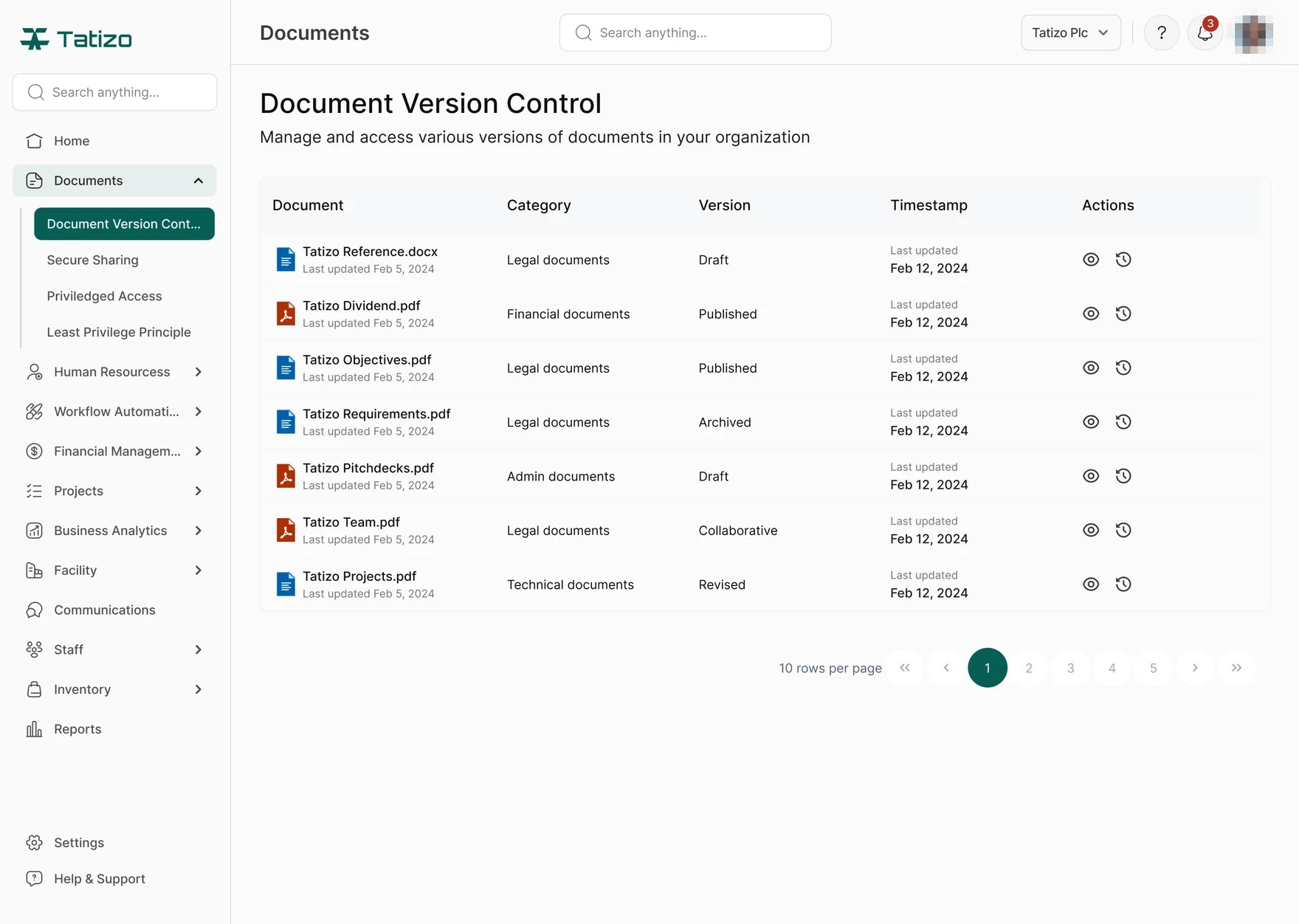
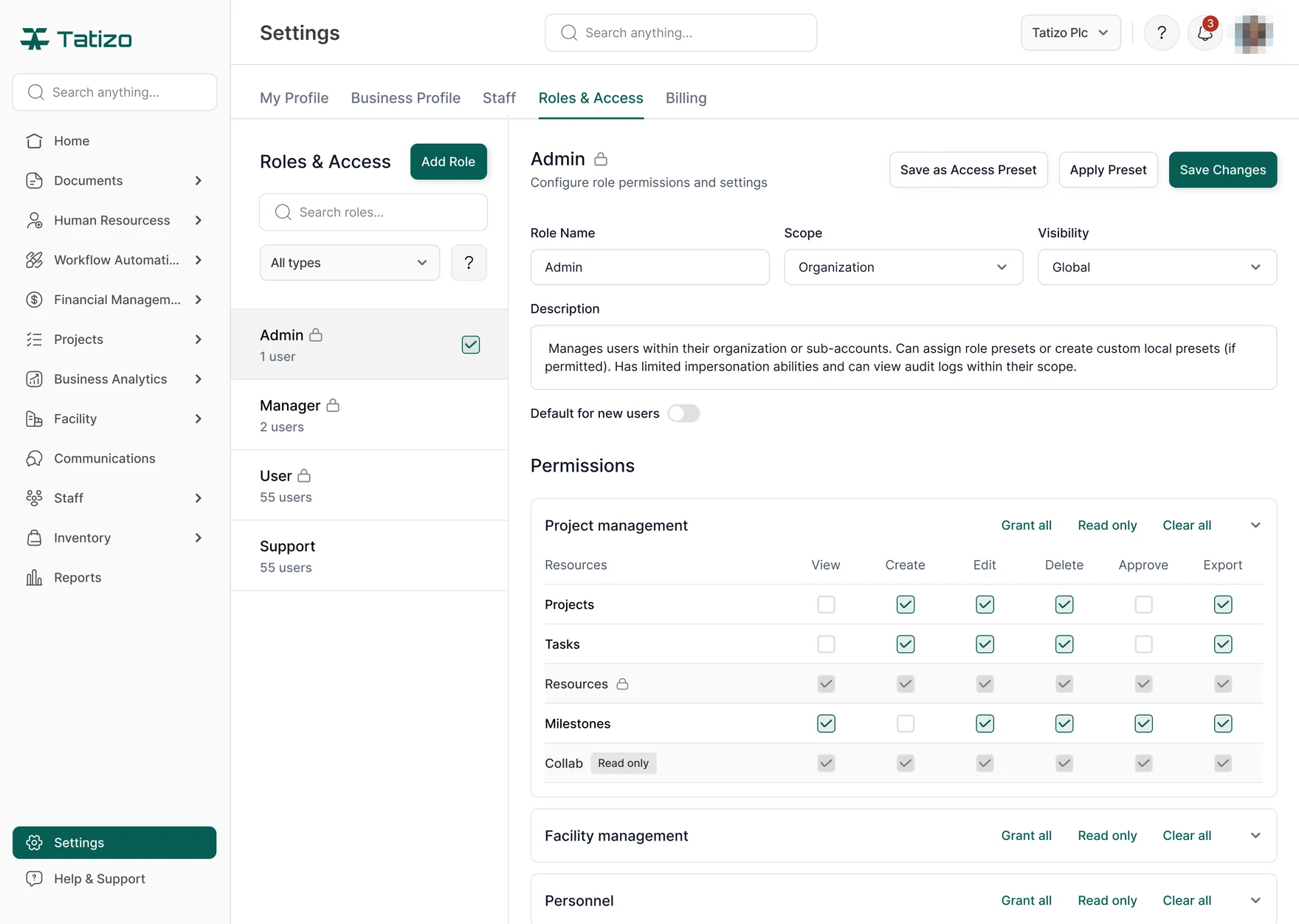
One platform holding HR, finance and legal records needs precise boundaries. Documents carry a visible lifecycle and history, and roles are configured through a matrix that sets each action on each resource.
- 1Store the document
- 2Track its version
- 3Define the role
- 4Apply the permissions
/ 05 / Money and Delivery
Connect the budget to the work it funds
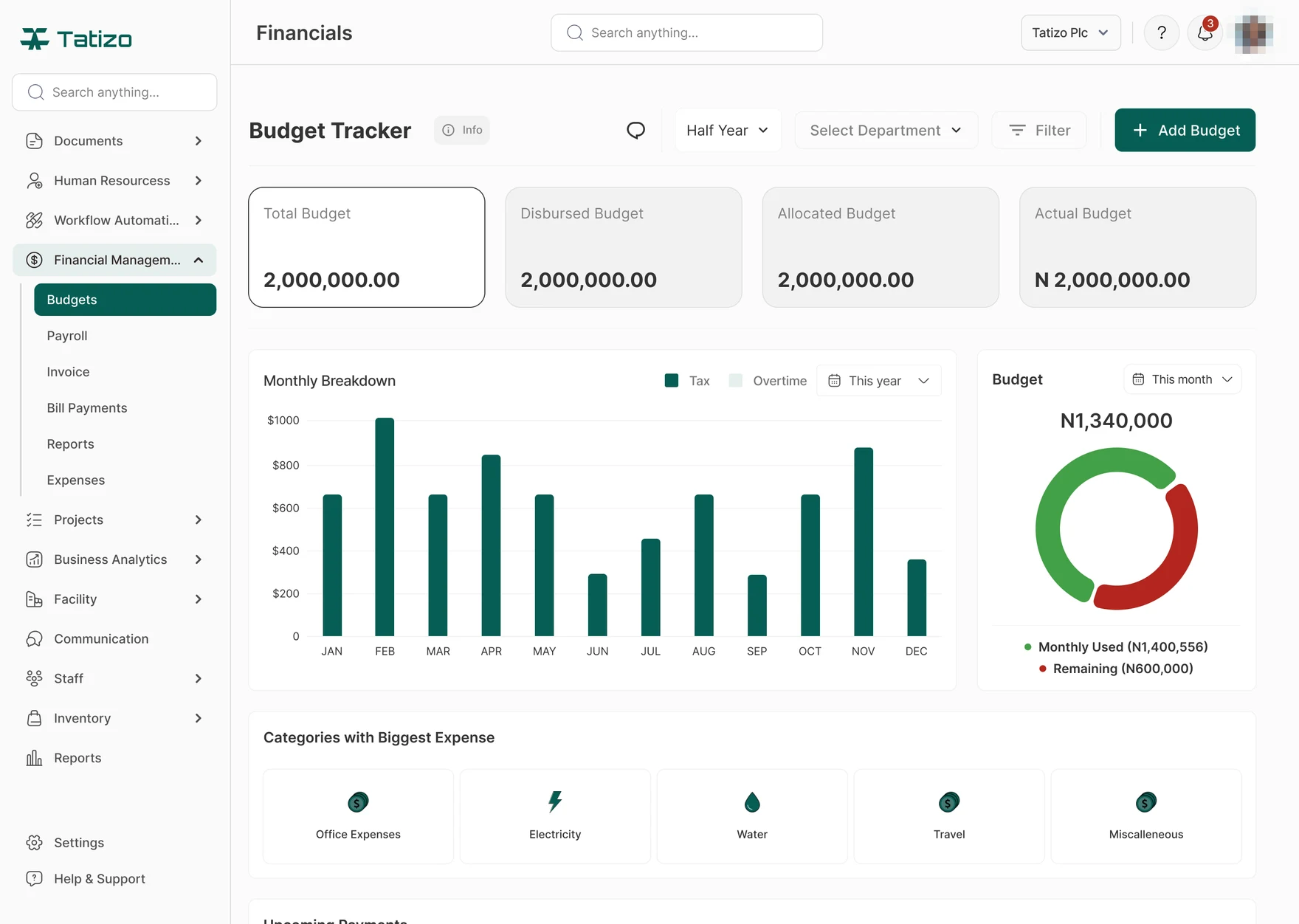
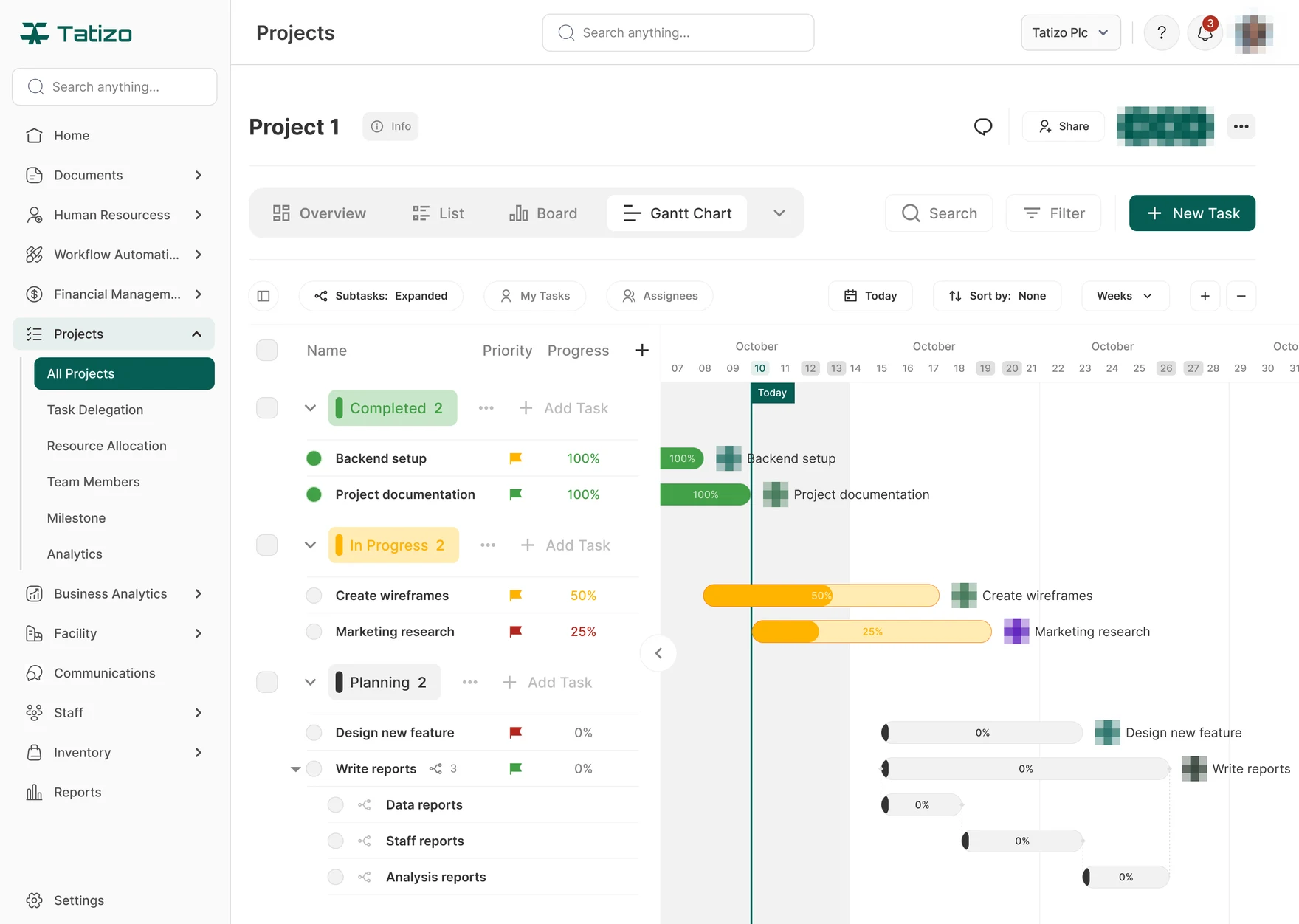
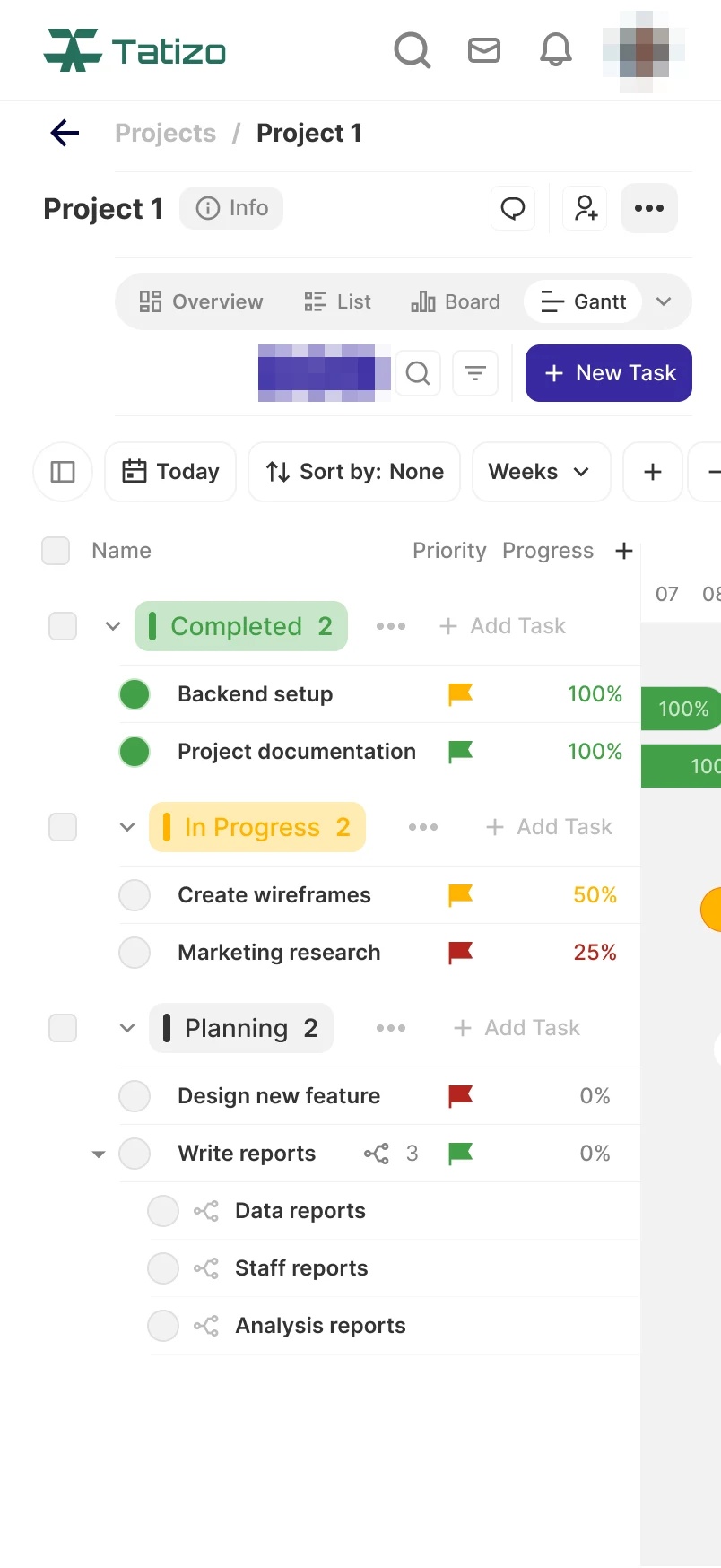
Finance and project teams often plan in separate tools. Tatizo places budget tracking and project delivery in one system, with status, priority and progress readable at a glance in the Gantt view.
- 1Set the budget
- 2Plan the project
- 3Assign the work
- 4Track progress
/ 06 / Business Intelligence
Move from reporting to planning
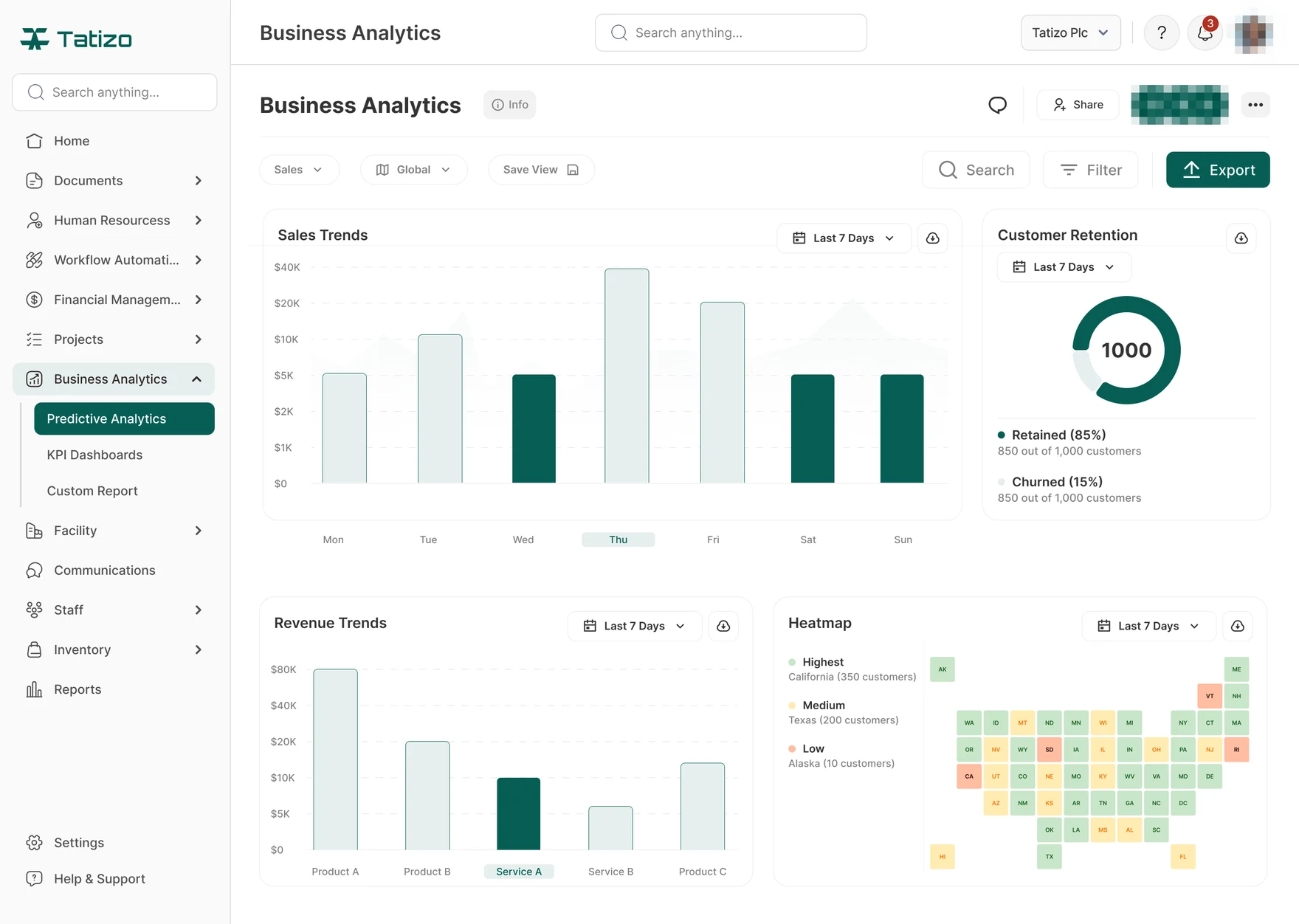
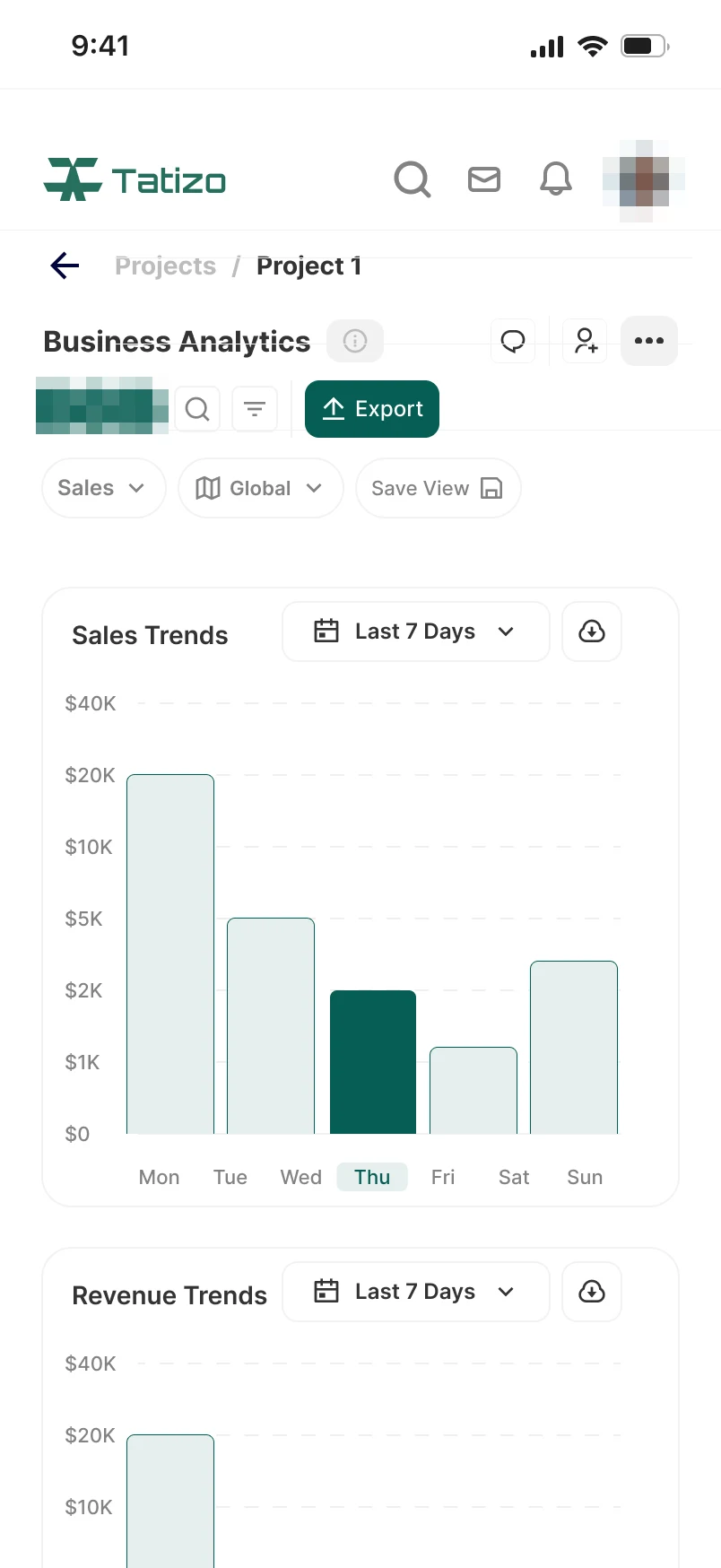
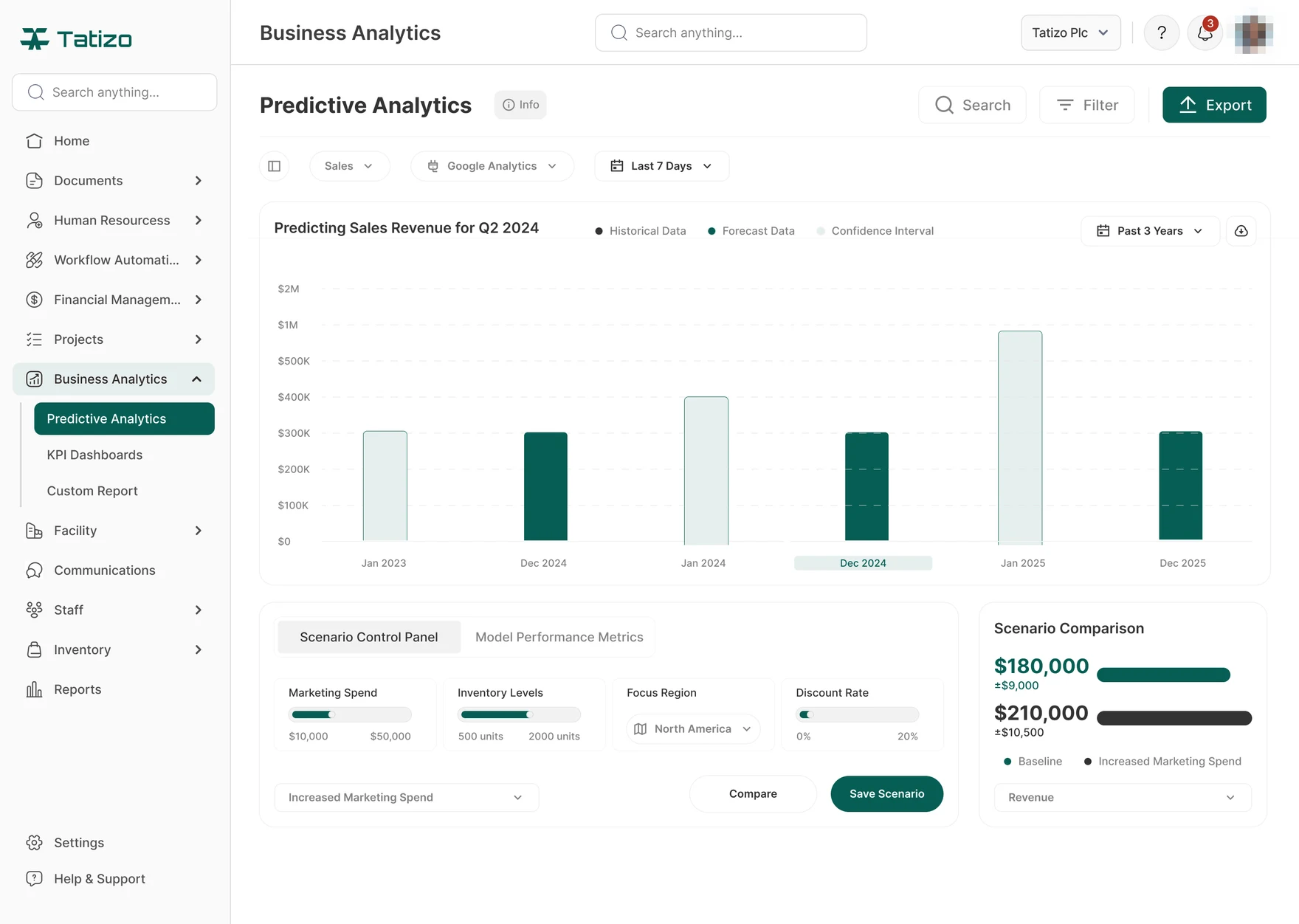
Dashboards explain what has happened, and the forecasting view helps leaders test what could happen next. Scenario controls let a user adjust assumptions and compare outcomes side by side.
- 1Read the trends
- 2Open the forecast
- 3Adjust assumptions
- 4Compare scenarios
/ 07 / Physical Operations
Bring buildings and assets into the same system
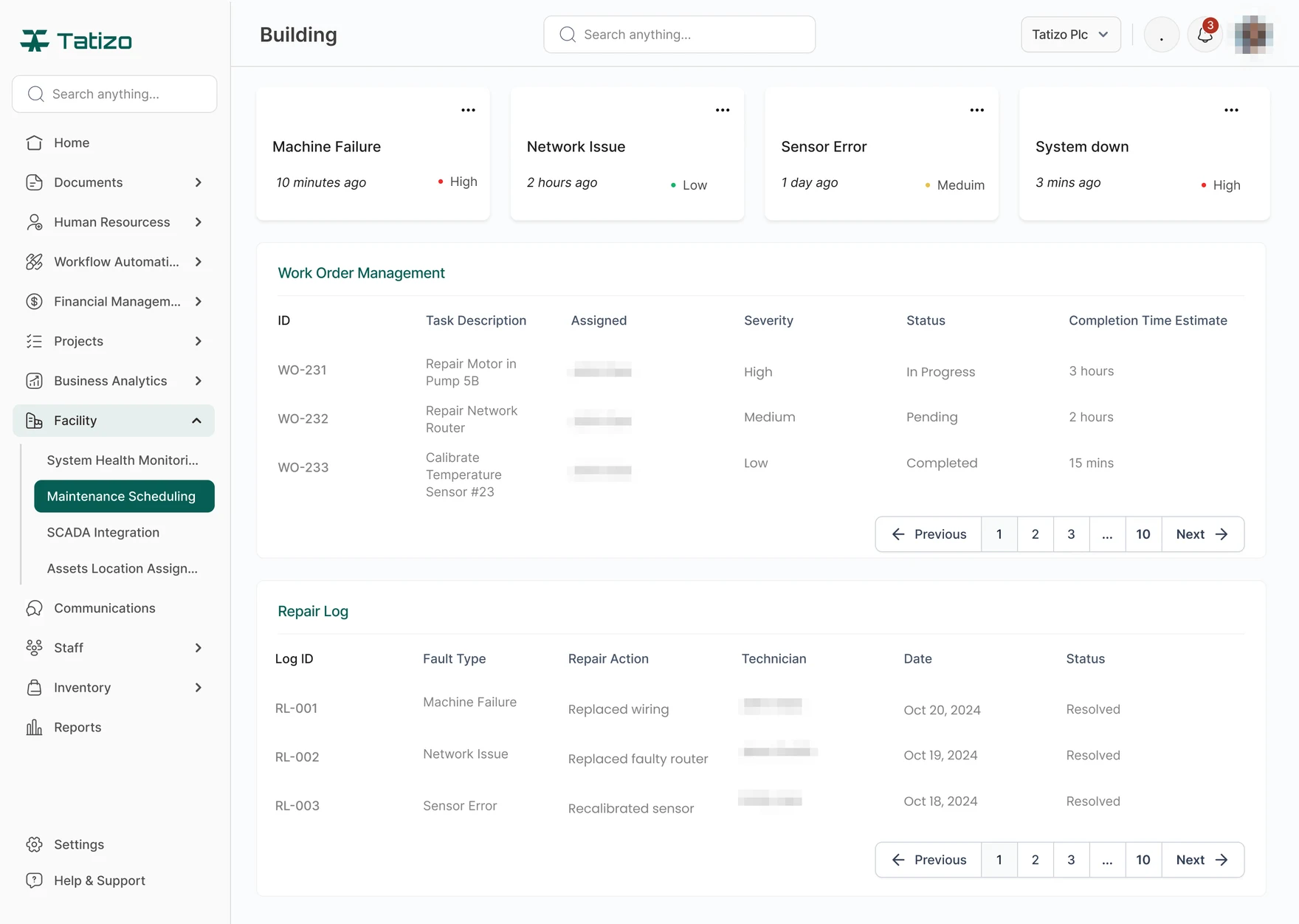
Most business software stops at the office door. Tatizo tracks faults, work orders, repairs and the lifecycle of physical assets, so operational issues sit beside the people and budgets needed to resolve them.
- 1Catch the fault
- 2Raise a work order
- 3Log the repair
- 4Update the asset
/ 08 / Communications
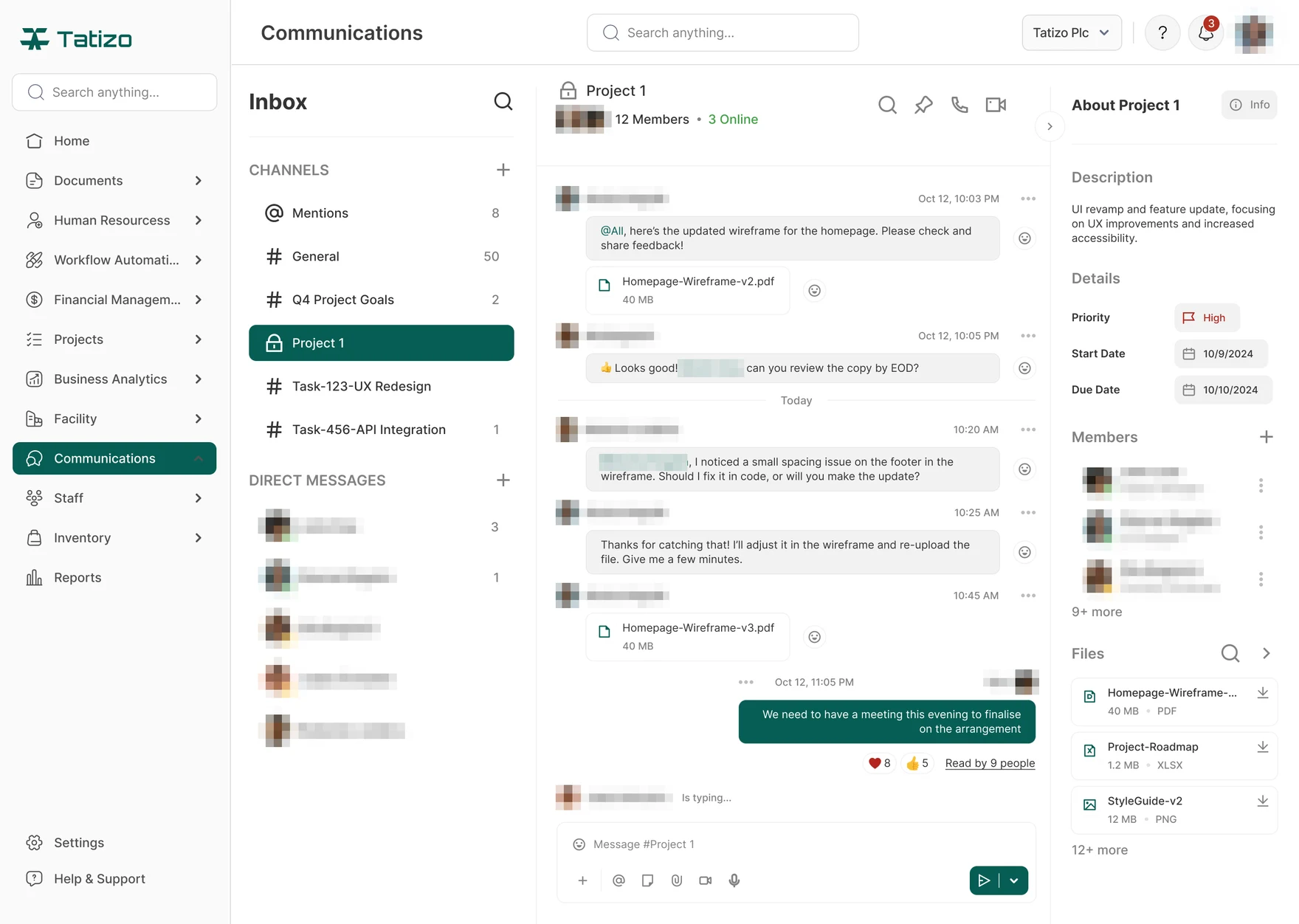
Keep the conversation next to the work
Project channels combine the thread, members, files, priority and dates in a single view, which reduces the need to leave the platform to understand the context of a decision.
- 1Open the channel
- 2Discuss the work
- 3Share the file
- 4Check the details
/ 09 / System States
Clear signals when work stops or goes wrong
An operations platform is used on difficult days as well as quiet ones. The file plans for first use, empty results and live faults, with a next step in each case.
Severity-ranked faults
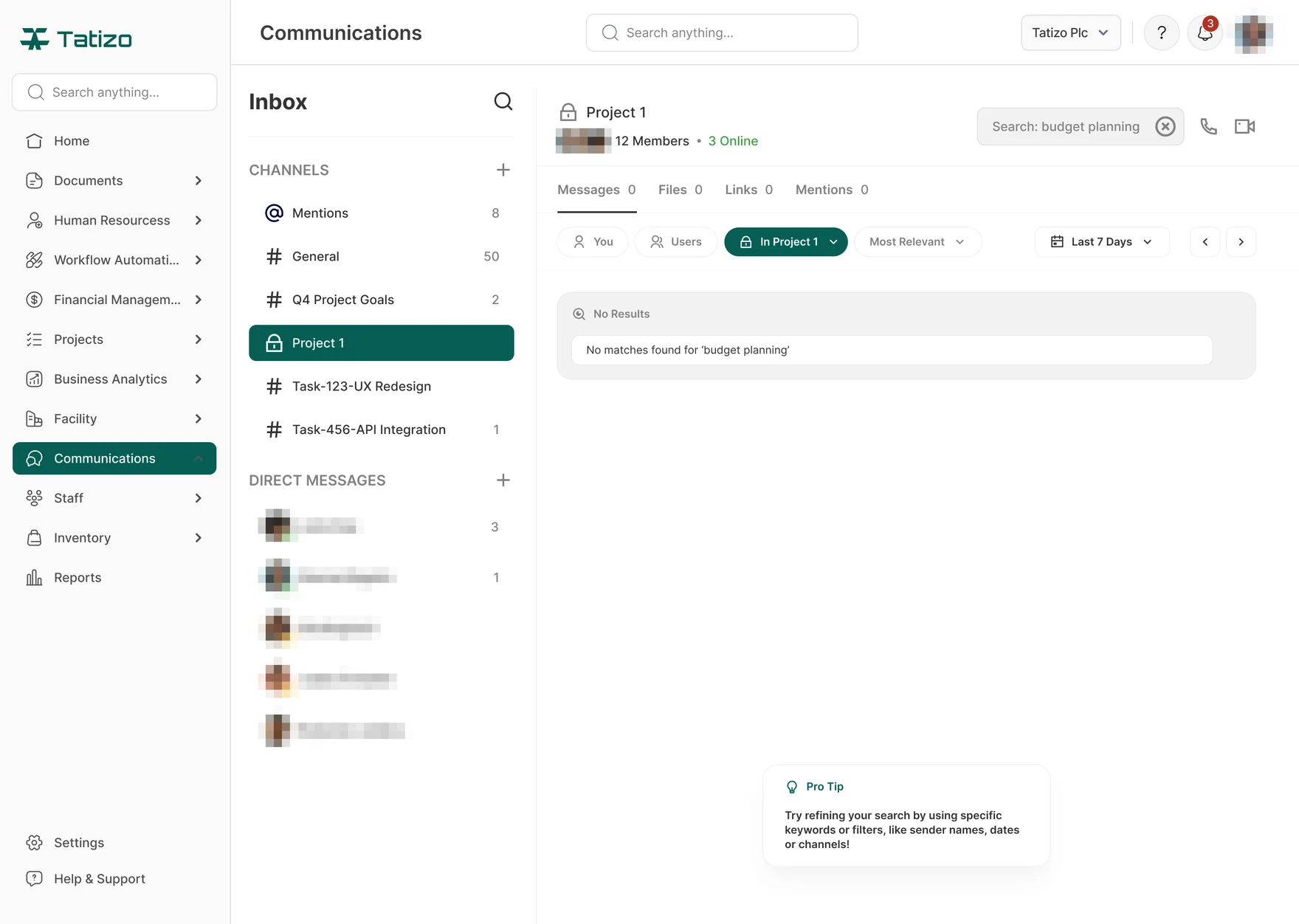
No search results
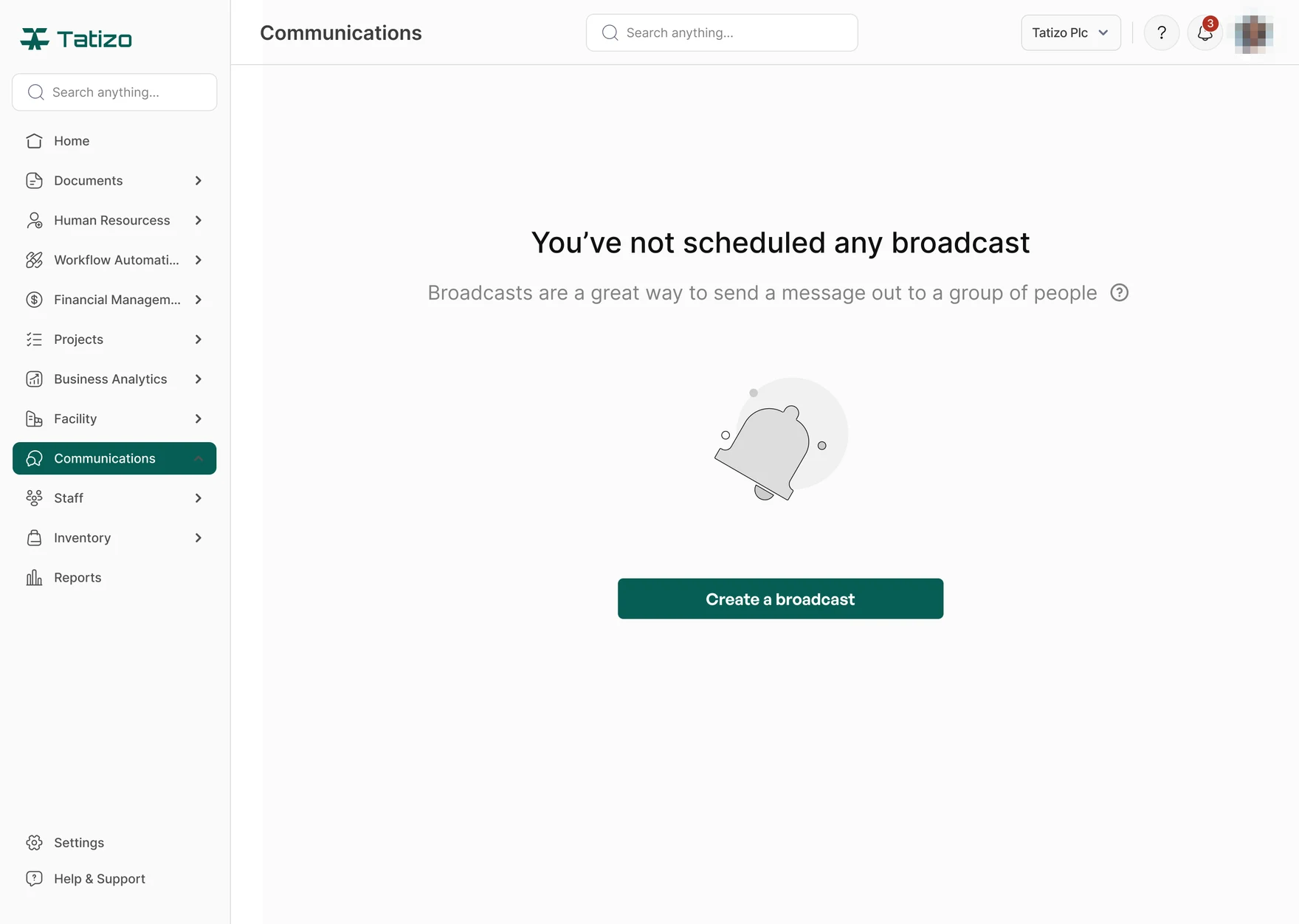
First broadcast
/ 10 / Design System
A steady system for twelve departments
Inter
A single highly legible family in regular, medium and semibold keeps tables, forms, charts and messages consistent across every module.
- Primary#075E54Brand, navigation and actions
- Deep Green#023127Website and brand surfaces
- Primary Shade#E6EFEESelected and soft surfaces
- Error#B3261EAlerts and critical status
/ 11 / Responsive
Operations do not stay at a desk
Mobile frames exist across the product. Layouts stack charts, wrap filters and keep task status readable for managers and staff working away from a computer.
About this section
This is a strategic retrospective. It explains the reasoning a senior product team would apply to this brief, read from the Figma file. It does not report research findings or measured results. Names, messages and metrics in the screens are sample interface data, and personal details have been masked.
Strategic retrospective
How a world-class team would approach this brief
What this reading is based on
- The Tatizo Figma file and its module structure
- Desktop and mobile frames across the product’s departments
- The role, sub-account, empty and alert states in the file
- The file’s color and type variables
01The problem
Replacing a patchwork without creating a maze
Growing organizations often run HR, finance, projects, facilities, inventory and messaging in separate tools, leaving approvals and records scattered between them. A single platform can close those gaps, but it creates a harder design problem: twelve departments must share one interface without overwhelming anyone, and sensitive pay, personnel and legal information must stay limited to the right people. Tatizo also serves multiple organizations through sub-accounts, so every decision about navigation, permissions and data has to hold at the level of a team, a company and a reseller.
02Why it mattered
When one product becomes the operating layer of a company, its design errors stop being cosmetic. They affect pay, compliance, safety and trust.
What was at stake
- A loose permission can expose personnel or financial records
- An unclear approval can stall work across several departments
- A missed facility alert can become a physical safety issue
- Working in the wrong sub-account carries legal and commercial risk
03Theoretical approach
Design the operating model before the screens
A senior team would treat roles, records and approvals as shared infrastructure, then let each department build on the same foundations.
Map the organization
Define departments, roles and handoffs before drawing navigation.
Build access first
Make the permission model a core structure across every module.
Standardize the patterns
Reuse tables, filters, status tags and approvals so one module teaches the next.
Tailor by role
Give base users, admins and super admins a different starting view.
Plan for exceptions
Design alerts, empty states and overdue paths alongside the ideal flow.
04Principles applied
Consistency and standards
Nielsen’s heuristics
A shared shell, table style and status language carry across all twelve modules.
Visibility of system status
Nielsen’s heuristics
Approval, document, fault and asset states are labeled directly in their tables.
Least privilege
Roles grant specific actions per resource, and locked rows show which permissions cannot change.
Progressive disclosure
Collapsible navigation and permission groups keep a very large product manageable.
05Key decisions
Make permissions a visible matrix
Administrators can audit a grid of actions and resources faster than a long list of separate toggles.
Visible in the design: Roles & Access sets view, create, edit, delete, approve and export per resource, with grant-all, read-only and clear-all shortcuts.
Give every module the same shell
In a product this wide, a fixed frame protects orientation as people move between departments.
Visible in the design: The expandable sidebar, global search, organization switcher and notifications persist across the module screens.
Separate pending approvals from outcomes
Approvers need to see what requires action now without losing the record of what was decided.
Visible in the design: The Approvals screen divides Pending Approval and Approval Request outcomes, beside overdue and reminder notifications.
Rank facility faults by severity
During an incident, the interface should direct attention before a person has to read a table.
Visible in the design: Alert cards show fault type, time and severity above the work order and repair log tables.
Frame forecasts as scenarios
Predictions are more useful and more honest when leaders can test assumptions and see a range.
Visible in the design: Predictive Analytics pairs a confidence legend with scenario controls and a baseline comparison.
06Trade-offs
- We would chooseOne unified platformOverBest-of-breed tools joined by integrationsBecauseIt keeps records and approvals connected, at the cost of a larger product to learn, migrate to and maintain.
- We would chooseGranular role permissionsOverA few fixed access levelsBecauseSensitive departments need precision, although setup is heavier, which is why the file includes reusable access presets.
- We would chooseDense, table-led screensOverSimplified card layoutsBecauseOperators compare many records at once, while infrequent users rely on role-based homes and quick actions.
07What to measure next
These are the signals to instrument next. No values are shown because none have been measured here.
- MetricTime to first completed workflowWhy it mattersTests whether a new organization reaches value quickly.How to measure itMeasure from account creation to the first approved automated workflow.
- MetricApproval cycle timeWhy it mattersShows whether routing removes delays between teams.How to measure itCompare request and decision timestamps by department.
- MetricPermission correctionsWhy it mattersReveals whether the access model is understood.How to measure itLog role edits and access reversals soon after a role is assigned.
- MetricFault acknowledgment timeWhy it mattersIndicates whether alerts attract attention when it matters.How to measure itTrack time from alert to work order by severity.
- MetricCross-module adoptionWhy it mattersTests the core promise of replacing separate tools.How to measure itCount active modules per organization over time.
Running your business across too many tools?
We design complex operational products that give every team one clear place to work, with the right controls around sensitive information.